Go live on YouTube and Facebook
Connect a YouTube channel, Facebook Page or eligible profile, choose up to five live destinations and start from Capture.
Meet your audience where they already watch.Record. Go live. Publish. Create an offer.
Record and share, go live on YouTube or Facebook, or publish your finished video. Turn a transcribed recording into a reviewed sales page with checkout on an eligible funnel plan. Capture starts with Spark at $7/month.
See what Capture can do: record, share, go live, publish and build from your video.
7 days free, then $7/month or $70/year. Includes the Spark plan. Managed live streaming uses separately priced credits; video offer funnels require Build or higher. Cancel future renewals anytime.
One video. More ways to reach people.
Capture now carries your explanation from the recording through distribution and into an offer you can review before it goes out.
Connect a YouTube channel, Facebook Page or eligible profile, choose up to five live destinations and start from Capture.
Meet your audience where they already watch.Choose a saved recording and upload it to connected YouTube or Facebook destinations. Select visibility where the provider supports it, then follow upload status in Capture.
Give a useful recording a longer life.Transcribe and share the video, generate an editable sales draft, confirm its price and terms, then prepare a funnel page with your connected Stripe checkout.
Give viewers a clear path from watching to buying.Managed live streaming displays its per-minute credit rate and maximum reservation before you start; a customer-owned relay uses your host’s billing. Provider permissions and channel eligibility apply. Finished-video publishing starts after your confirmation. Video offer funnels require Build or higher; transcription uses your connected AI provider and its separate charges. Your Stripe processing fees apply.
A clearer way to explain
A recording shows the context. A guide makes the process repeatable. A screenshot gets straight to the point. Choose the format that fits the moment.
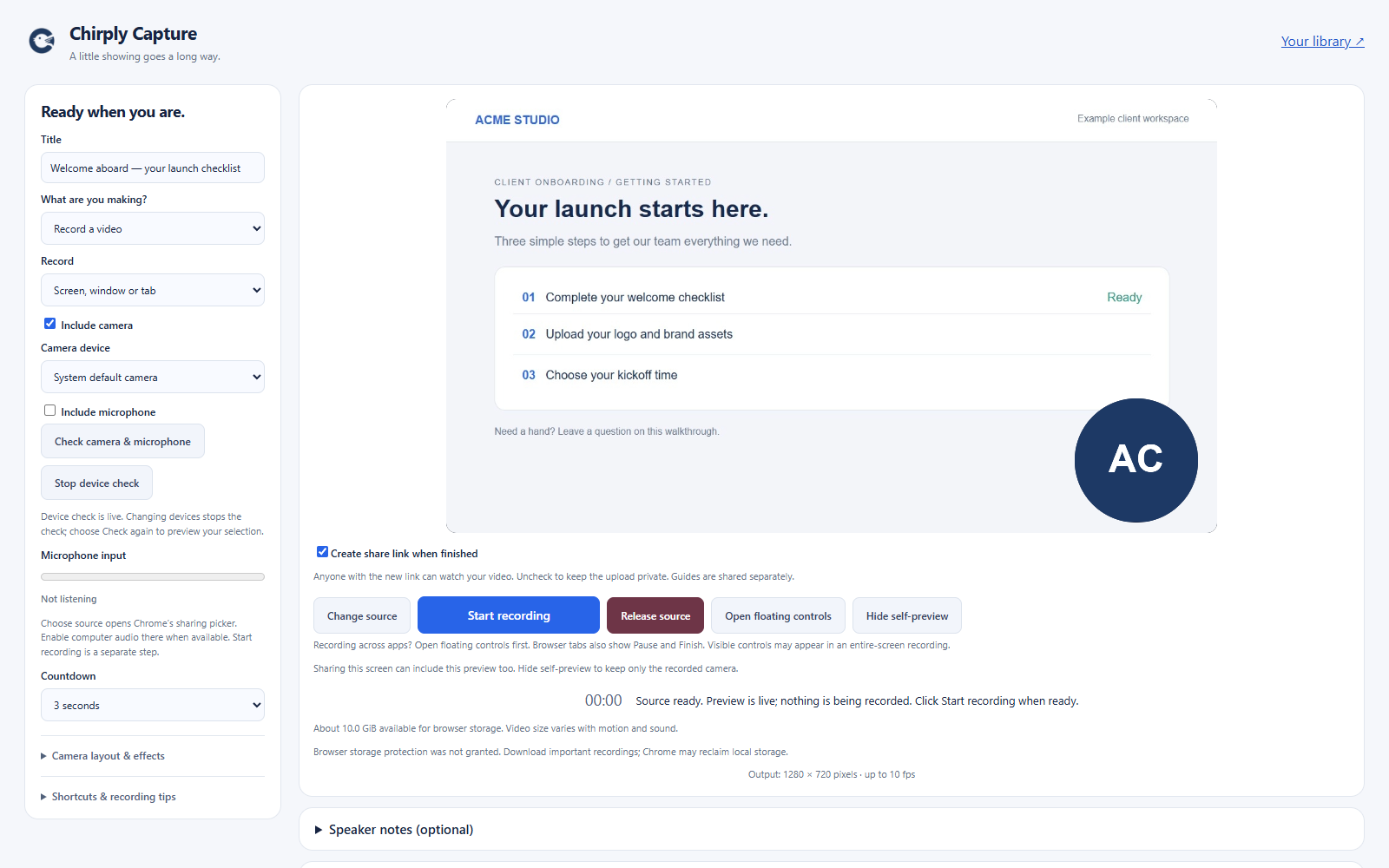
A prospect sees the offer. A client sees their next step. Your team sees exactly how it’s done.
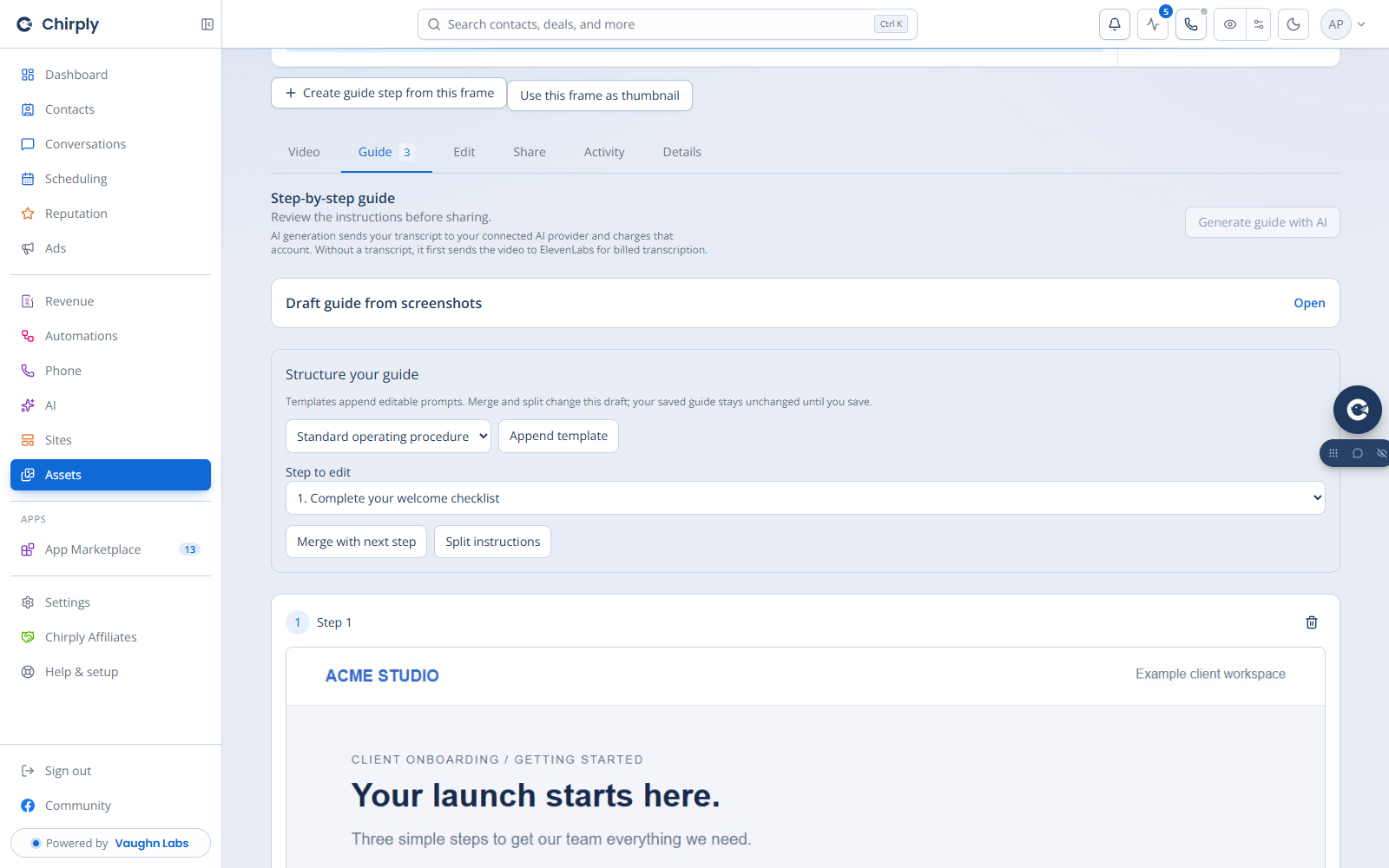
Build onboarding instructions and SOPs people can revisit whenever they need a hand.
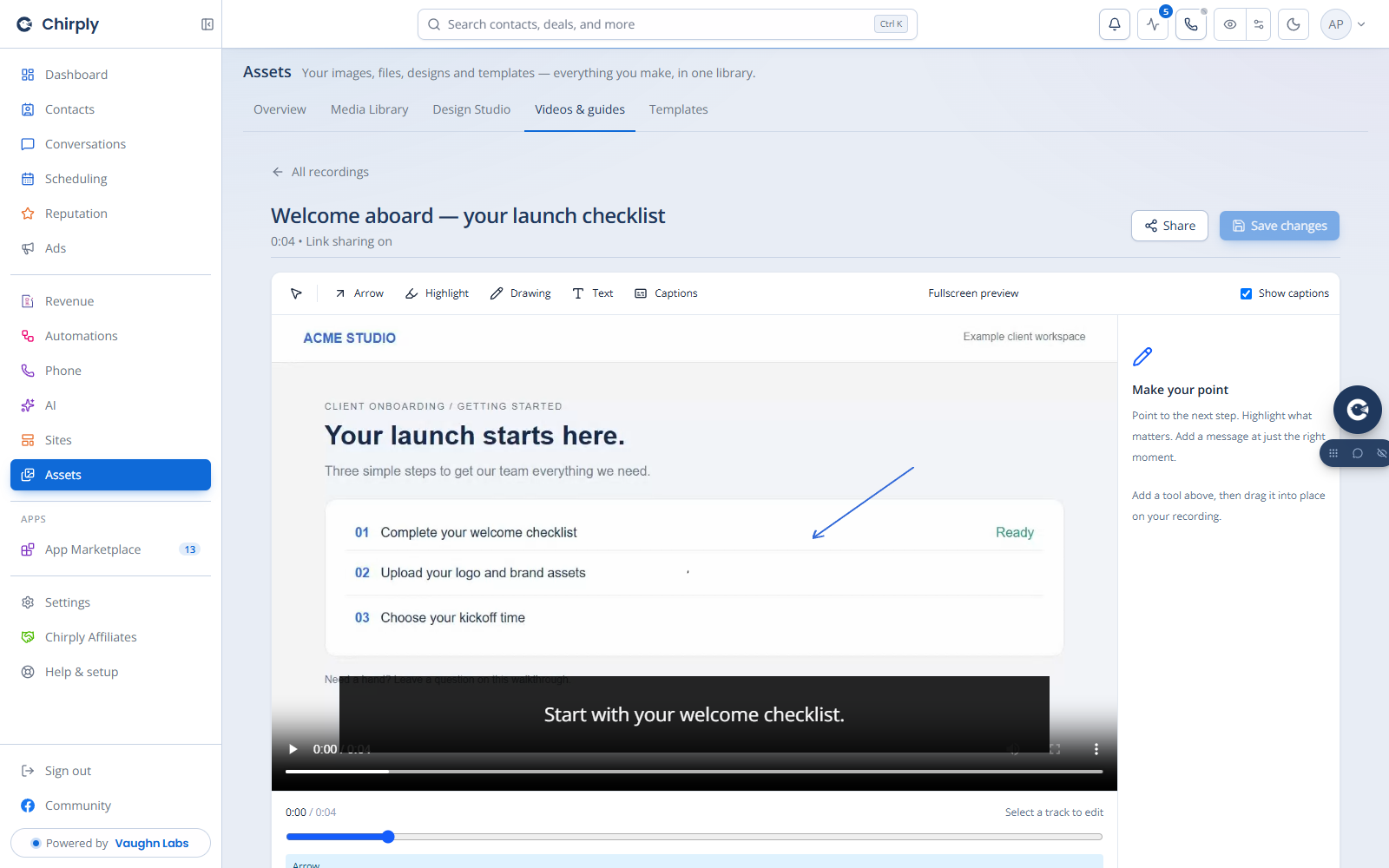
Add a visual note, point out the change and let your viewer respond right there.
Your everyday capture tools, together.
Compare one creator’s selected paid plans. Chirply covers the core recording, screenshot and guide workflows in one subscription.
One creator. Selected monthly subscriptions.
 Chirply Capture
Start with 7 days free
Then $7 billed monthly. One user seat.
Published USD prices checked September 12, 2026: Loom pricing and Scribe pricing. Before taxes. Scribe Pro Personal is $35 monthly or $300 yearly ($25/month equivalent); this comparison uses the single-creator Personal plan. Both competitors also offer free plans. This compares selected paid subscriptions for core recording and guide workflows. Each product has its own features and allowances. Chirply AI/transcription usage is billed separately through your connected provider.
From capture to conversation
Record your screen, camera and microphone. Choose your source before recording, then use movable controls to pause, mute or finish.
Give every prospect a personal introduction they can watch on their schedule.Create an editable guide with steps and screenshots. Refine the instructions, reorder the steps and share a repeatable walkthrough.
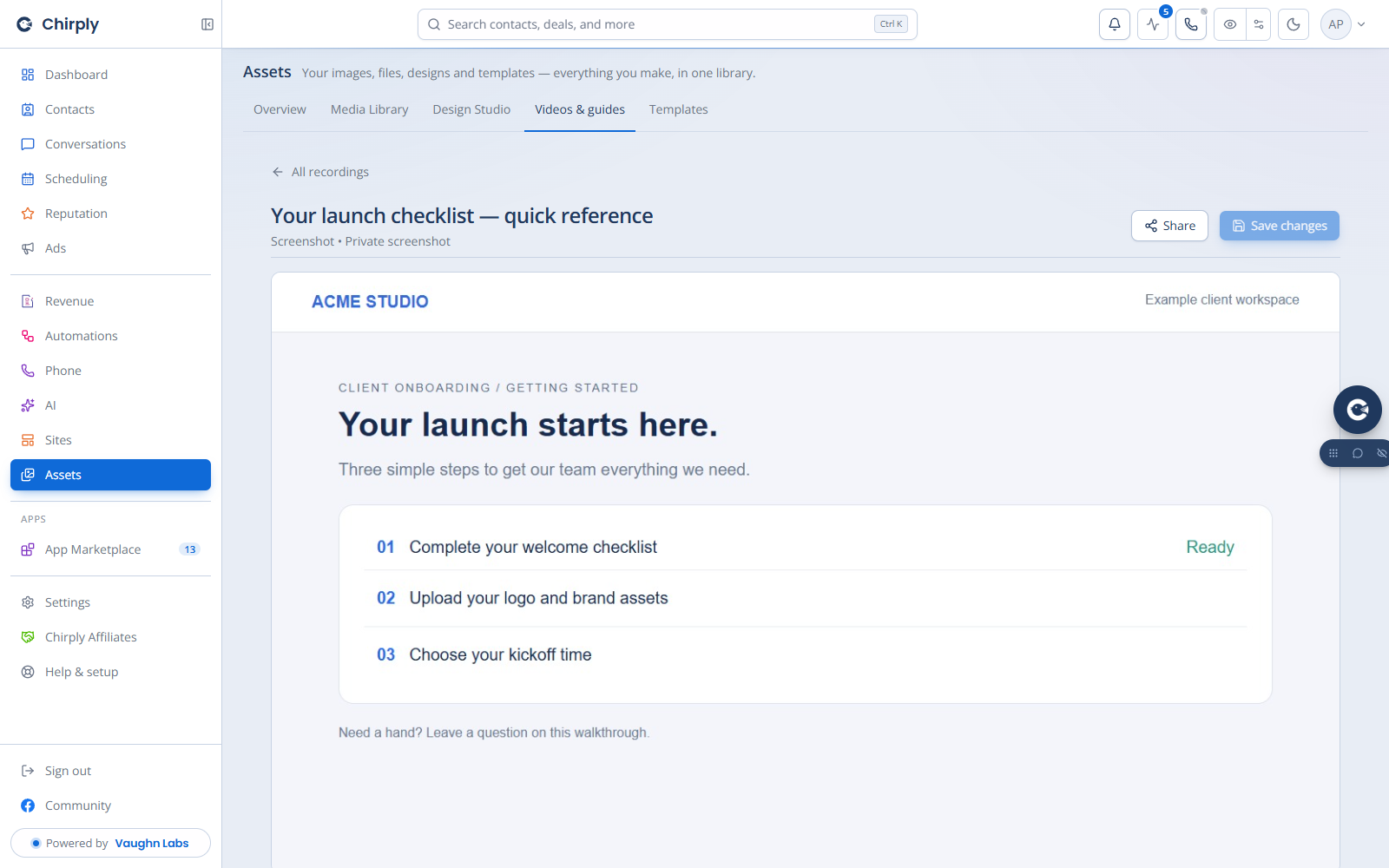
Give a new hire or client an SOP they can follow at their own pace.Capture an image, add annotations and send a sharing link. Keep feedback attached to the screenshot so every comment has context.
Point out a change, get a review, or answer a quick question clearly.Trim footage, add timed annotations and edit your guide. Add captions after transcription, then adjust their text, colors, size and placement.
Highlight the next step and help your viewer put it into action.Share a link with comments and time-linked feedback. Copy the link quickly after recording and return to the editor when you need a change.
Give every question a clear place in the conversation.See viewer activity and choose notifications for views and comments. Manage sharing access, password protection and downloads in the same account.
Know when there’s a question to answer or a conversation to continue.Transcription and other AI tools use your connected provider and are billed separately. Browser recording, drawing and device controls depend on the source you share; live drawings are for browser pages.
Your link should look like your business
Make your videos, screenshots and guides part of your brand. Connect a dedicated domain, choose it as your account default, and override it for an individual capture whenever you need to.
Choose a domain you own. Domain registration and DNS setup are separate. Capture domains serve shared captures; full platform white-labeling is a separate upgrade.
Start with something you need to explain today
Select the screen, window or tab, check your camera and microphone, then start when you’re ready.
Record the explanation. Trim, annotate or turn the process into a guide. Transcribe when you want captions.
Copy your sharing link, use your chosen domain, and keep questions and feedback with the capture.
Capture is part of Chirply Spark.
Your Capture subscription includes the Chirply Spark plan. That means you also get Link Wizard, invoicing, unlimited contacts and companies, and tools to manage your sales and daily work—all included in the same $7/month after your free trial.
Create branded short links and use per-person tracking to see link activity. Send a clean link to your offer, booking page or next step—and keep useful context for your follow-up.
Create one-off or recurring invoices, offer payment plans and collect deposits. Accept payments through your own Stripe account and give customers receipts.
Store your contacts and company records in Chirply. Keep customer details together as your prospect and client relationships grow.
Track opportunities in your Spark pipeline, organize work with lists and assign yourself tasks. See where each opportunity stands, plan your priorities and keep track of what needs doing.
Review the activity on a contact’s record so you can see what has happened and what needs attention. Bring calls, messages, notes and other recorded activity together in one customer history.
All five bonuses are included in your Spark subscription. Your connected Stripe account’s payment-processing charges still apply. Spark includes one user seat and one pipeline.
Chirply Capture, included in Spark
Record and share in Capture. Connect a destination to go live or publish a finished recording. Build adds funnels so you can create a reviewed offer page from a video.
$7/month
Chirply brings the core screen-recording, screenshot and step-by-step-guide workflows together. The comparison above shows selected paid plans for one creator. Each product has its own features, integrations and allowances; use the demo and feature descriptions to find the fit for your workflow.
Yes. Spark includes ten Capture-only domains for shared videos, screenshots and guides. Connect a domain you own, verify its DNS and HTTPS status, then choose an account default or a per-capture override. Domain registration is separate. Full platform white-labeling is a separate offer.
Yes. Connect an eligible YouTube channel, Facebook Page or profile and choose your live destinations in Capture. Managed streaming shows a per-minute credit rate and maximum reservation before you start. You can also use a compatible relay in your own account. Platform permissions and live eligibility apply.
Choose a saved video and its connected YouTube or Facebook destinations, then confirm Publish video. Capture tracks the upload and processing status. Facebook may need to prepare an MP4 copy of a browser recording; YouTube visibility and Meta publishing permissions depend on your connected account.
Yes, on Build or a higher plan with funnel access. Save a transcript and video sharing link, then generate an offer draft from the video. Review the copy, resolve any open questions, confirm the price and terms, and connect Stripe before preparing the funnel page and checkout. AI provider and Stripe charges are separate.
Link Wizard is Chirply’s branded short-link and tracking tool. Create a clean link to a destination and use per-person tracking for more useful follow-up context. It is included in Spark along with Capture.
Use the Chirply Chrome extension for browser capture, then open Chirply to edit and share. The current extension is distributed as a beta download while the new Chrome Web Store listing is pending. Setup instructions are available from Connect recording extension in your Capture library.
Connect a supported provider, including ElevenLabs or OpenRouter transcription options, and transcribe whenever you want captions. Your provider bills transcription usage separately. Recording and sharing are included in Spark, and you can edit your captions after transcription.
Yes. You control whether you create a sharing link and can manage access, password protection and download settings. You can also archive or delete a capture from your library.
Spark includes one user seat, one pipeline, unlimited contacts and companies, Capture, Link Wizard, and invoicing for $7/month or $70/year. Your plan includes account storage and processing allowances; AI usage is billed through your connected provider.
Yes. Start with Capture and all the listed Spark tools. Optional Full Chirply, White Label and Partner upgrades are available when you want to expand. You choose the plan that fits your business.