
 Chirply
A lead cools while it waits
The person who filled in your form is sitting there, right now, with the problem open in front of them. Every hour between submit and callback is an hour they spend talking to whoever answered.
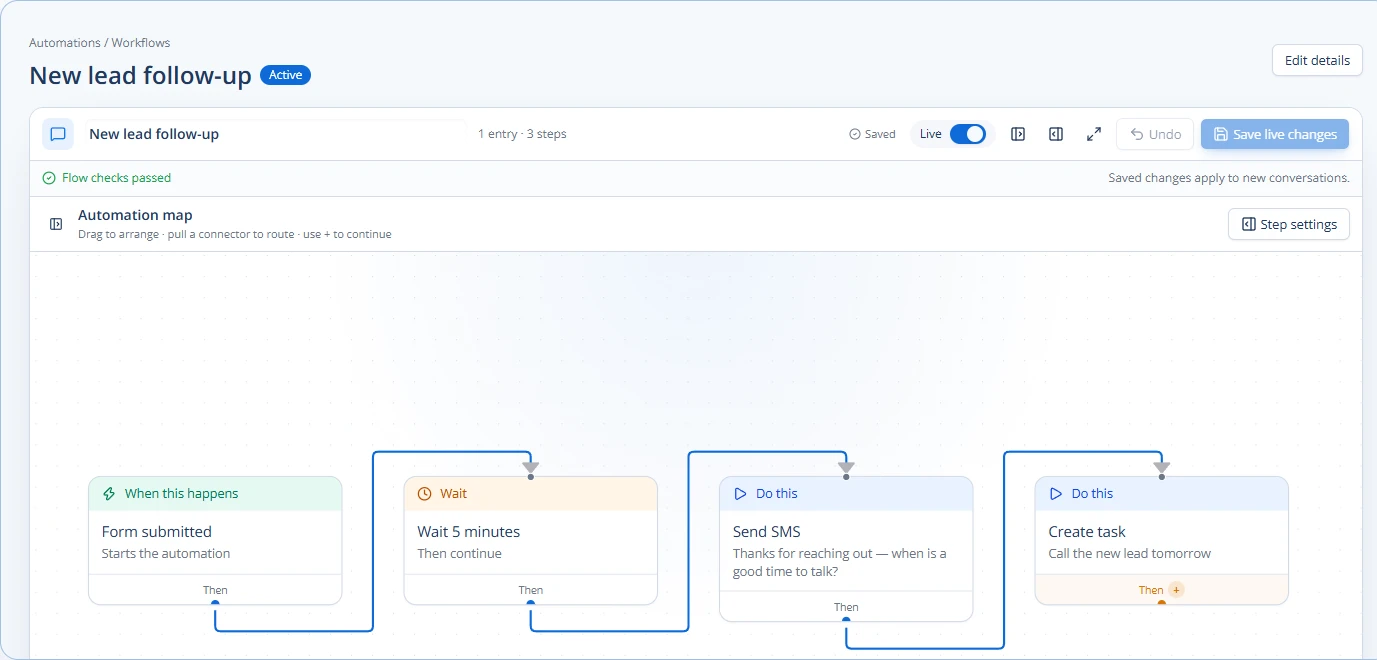
Chirply calls the lead the second the form lands. It rings your whole rep pool at once, whispers who the lead is to whoever answers, and bridges the first rep to press 1 straight through — so the person who just asked for a quote hears a phone ringing, not a confirmation email.
By the time you ring them back, they cannot remember which of the five forms they filled in was yours.
It is that nobody has the hours, and the cost of skipping it never shows up as a line on any invoice.
The person who filled in your form is sitting there, right now, with the problem open in front of them. Every hour between submit and callback is an hour they spend talking to whoever answered.
The lead vendor charges you at submission, not at contact. A list of paid-for names nobody reached in time is the most expensive spreadsheet in your business.
The form notification lands in an inbox, someone means to get to it, and the follow-up happens when the morning huddle ends. None of that is anyone's fault, and all of it is slower than a competitor with a bridge.
Capture
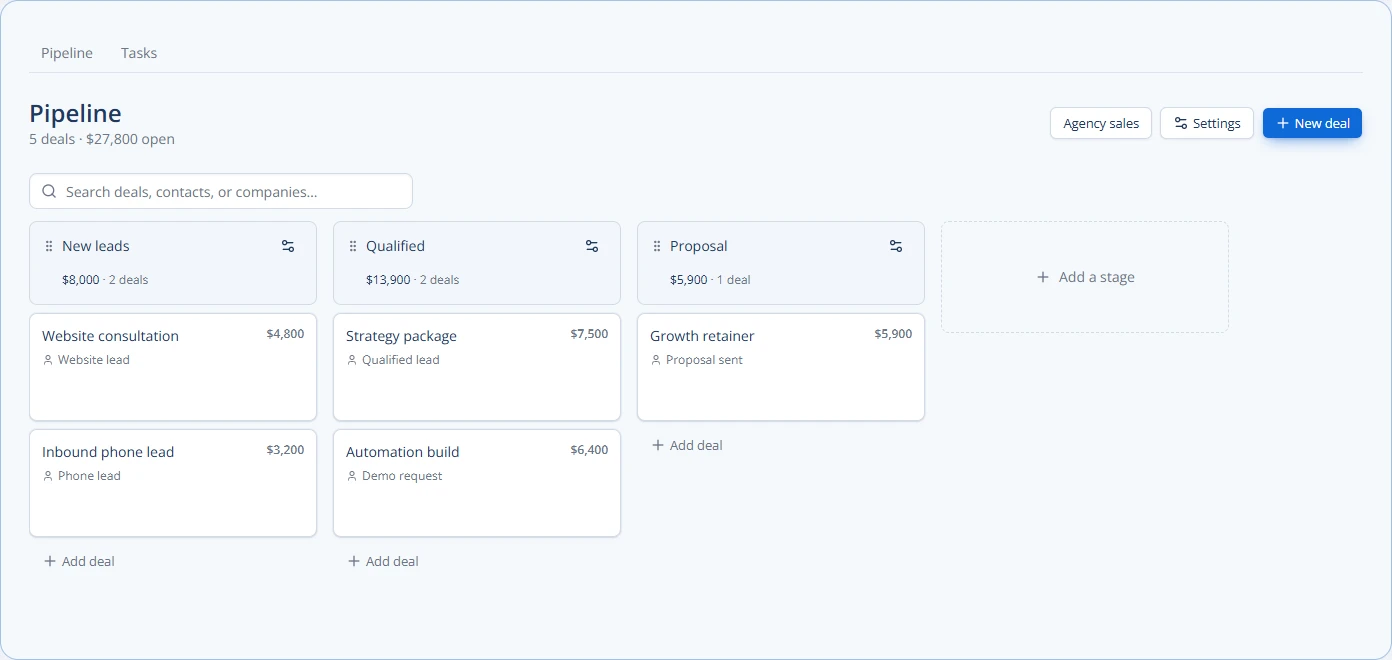
Facebook Lead Ads arrive as contacts in seconds, mapped question by question, and fire a trigger the moment they do. Website visitors get a call-me button that starts the same clock.
Bridge
The sales bridge simulrings every rep — cell phones and browser softphones together — and whispers the lead's name, city and source before anyone is connected.
Claim
Exactly one rep gets the call; every other leg drops cleanly. No two people greeting the same lead, no lead waiting while reps sort out whose turn it is.
Hold
When nobody can pick up, an autoresponder texts back in seconds and the booking page lets the lead put themselves on your calendar instead of on your competitor's.
When an inbound call goes unanswered
A sales bridge connects a new lead to a rep. Missed-call text back handles a different moment: an incoming call your business did not answer. Chirply can send an automatic SMS from that business number, then keep the reply in Conversations for your team.
Sorry we missed your call! How can we help? Reply here and our team will get back to you.
This is Chirply's editable default message, not a customer conversation.
In Phone → Numbers, select the number and find Missed-call text back. Confirm that the workspace and number are the ones you intend to use before enabling it.
Enable Text callers after a missed call, write the message, choose When to send it, and decide whether to text only people who are not contacts yet. A booking link can be part of your message; check the public booking page before using it.
Use a separate mobile number you control and have agreed to use for the test. Leave the business call unanswered. With the chosen hours and caller filters satisfied, check the SMS on that phone and the missed call in Chirply. Real call and SMS charges can apply.
Reply from the test phone and confirm that the conversation reaches the team in Conversations. Check the booking link if you included one. Test the hours and known-contact settings with your own test records before depending on them for customer calls.
Calling and SMS start on Launch at $47/month. You need a connected Twilio account, an SMS-capable number and the applicable messaging registration. Twilio bills number rental, calls and SMS separately. A longer message may use multiple SMS segments. This control replies to a missed call; it does not make appointments or send a follow-up sequence unless you configure those next steps.
If the test text does not arrive, check number capability, the enabled setting, hours and caller filters, opt-out status, then the provider's account and delivery error. Do not remove a customer's opt-out just to make a test pass.
These are not roadmap items. Each one is running in production today, described here in the same words the full product catalog uses.
Connect a hot lead to a live human in about 15 seconds.
The moment a lead is ready, Chirply rings your entire rep pool at once, whispers the lead's context to whoever answers, and bridges the first one to press 1 straight through to the lead.
Lead-form submissions in the CRM in seconds, mapped the way you want.
Discover the lead forms on each connected Page, decide question by question where every answer lands, and let new leads arrive as contacts your automations can act on straight away.
Turn website visitors into live phone calls.
An embeddable call-me button for any site. A visitor enters their number, your team rings, and the two are bridged — usually inside 20 seconds.
A reply goes out in seconds, at 2am, without you.
Rule-based automatic replies on inbound messages, fully merge-field aware.
Let leads book the right meeting without the email ping-pong.
Every event type gets a shareable booking page with your availability, timezone handling, intake questions, confirmation copy, and location instructions.
This is the part of Chirply that solves speed to lead. See the other 14 areas — CRM, scheduling, messaging, automations, funnels, commerce, reputation and the rest — all included in the same workspace.
You do not have to migrate anything to find out whether this works. Start the trial, set up the one thing you came here for, and judge it on that.
Your trial runs on Scale, the top plan, so nothing is locked while you evaluate. If speed to lead is all you need afterwards, Grow at $77/mo carries it — switch down before the trial ends and keep the lower price.
Your order
$0 today. A card keeps the workspace running after the trial, and Scale renews at $97/month unless you change plans or cancel first.
Cancel any time before day 14 and nothing is charged. Calls, texts, emails and contacts are unlimited on every plan — you bring your own Twilio, Mailgun and model keys and pay those providers directly.
No trial subscription charge today. Cancel before renewal.
Provider usage and optional app purchases are separate. The card only exists so a workspace you decide to keep does not stop working on day 31.
The lead is not left in silence. An autoresponder replies by text in seconds, the missed lead is flagged so somebody chases it, and the booking link lets them grab a slot themselves while they are still warm.
Yes. Before the connect, the bridge whispers the lead's name, city and source — recorded or spoken — so the rep opens with context instead of "who am I speaking with?".
No. The claim is atomic: the first rep to press 1 wins and every other leg is dropped cleanly. Optionally each rep also gets an SMS heads-up, and the bridged call is recorded on both channels.
No. The bridge simulrings cell phones and browser softphones together, so the rep on a job site competes for the lead on equal terms with the one at a desk.
Carrier rates. You bring your own Twilio account, so calls and texts are billed to you directly at cost — there is no per-minute markup and no per-seat dialer fee on top.
Weighing it against something specific?