
 Chirply
Callers need an answer while your team is busy
A question about your services or an appointment request can arrive while everyone is already on a job. An agent can handle the parts you have prepared and leave the rest for the team.
Use Chirply to answer incoming calls with the business knowledge you provide. Your agent can capture details, take a message, transfer to your team or book an eligible appointment when you enable those actions. Choose its role, test it, then route the calls you want it to handle.
When your team cannot answer, callers still need accurate information and a clear way to reach the right person.
It is that nobody has the hours, and the cost of skipping it never shows up as a line on any invoice.
A question about your services or an appointment request can arrive while everyone is already on a job. An agent can handle the parts you have prepared and leave the rest for the team.
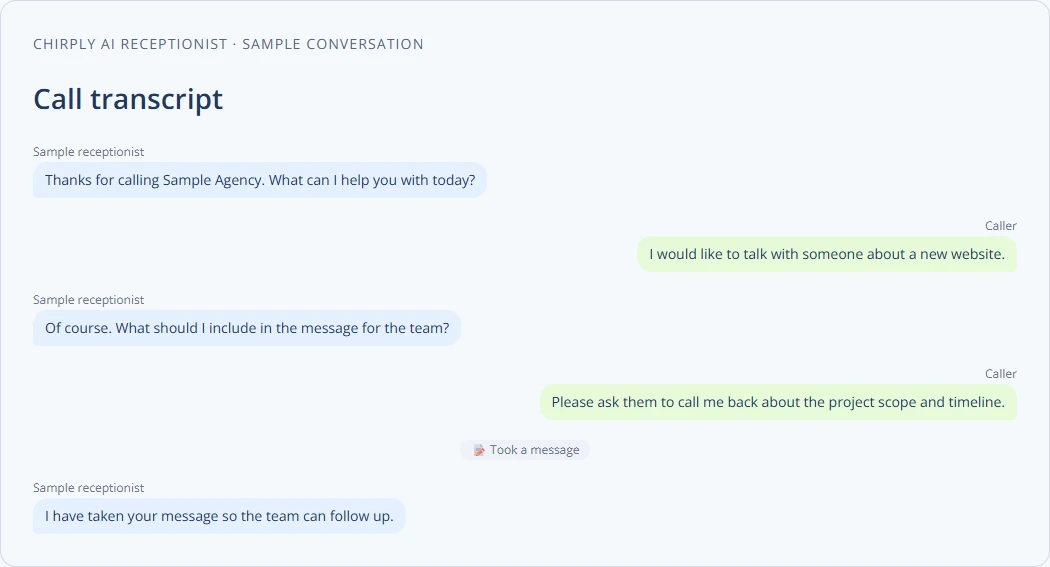
Capture the caller's request and callback details in the same workspace your team uses. Message-taking creates a task, so someone can pick up the next step.
Keep complex questions and exceptions with your team. Configure a transfer destination and instructions for unknown answers, then test the handoff before moving your main line.
Teach
Add current services, hours, policies and FAQs to the Brain, then choose the whole Brain or selected topics for this agent. Document upload and website crawling have different plan requirements; review the plan details below.
Voice
Choose its language and voice, then hear the saved setup in a test. Real-time streaming is a separate plan capability that must be available and enabled for the agent; provider usage charges are additional.
Answer
Route a number directly to the agent, or ring your team first and use the agent if nobody answers. Choose the fallback in that number's settings. An unanswered-call fallback does not itself configure an after-hours schedule.
Act
Enable message-taking, contact updates or appointment abilities for this agent. Booking needs an active event type, caller details and confirmation; appointments requiring payment use a booking link instead. Custom API tools need their own setup and assignment.
Choose what the agent can do
An AI receptionist needs your business knowledge, permission to take actions and a number routed to it. Start with a controlled test, then check the actual task, transfer or appointment before depending on it for customer calls.
These are current monthly subscription prices. Twilio calling, optional streaming voice and model usage are separate provider costs. Streaming must also be available and enabled for the agent. Compare the full plan details before choosing a renewal plan.
These are not roadmap items. Each one is running in production today, described here in the same words the full product catalog uses.
Never miss another inbound call, at 3am or on a Sunday.
Point any number at an AI agent and it answers, holds a natural conversation, and actually does things — captures the caller's details, takes a message, or warm-transfers to a human.
It sounds like a person, because it doesn't leave dead air.
Calls stream in real time over a dedicated edge worker instead of waiting for a full reply before speaking. The agent starts talking on its first few words, and you can interrupt it mid-sentence.
Teach it your business once, and every agent knows it.
Organize everything your agents should know into topics and items — hours, pricing, services, policies, objection handling — then drop it into any agent's greeting, persona, or goals.
Audition voices in the browser instead of calling yourself to hear one.
Every agent gets its own voice and language. Choose from the built-in phone voices, or from your own cloned and premium voices if you've connected ElevenLabs.
Let a caller check an order, book service, or update another system live.
Connect authenticated external APIs, describe safe reusable operations, test them, publish immutable versions, and assign each tool only to the AI agents that need it.
Route every caller correctly without hiring a receptionist.
Build press-1 phone trees once and use them on the way in and the way out. Each digit can dial a number, take a voicemail, speak a message, send a text, or open a sub-menu.
Coach from real calls instead of relying on memory.
Opt-in recording per number. Audio is pulled off Twilio into your own storage and the provider's copy is deleted, so there's one place your recordings live.
Let leads book the right meeting without the email ping-pong.
Every event type gets a shareable booking page with your availability, timezone handling, intake questions, confirmation copy, and location instructions.
This is the part of Chirply that solves ai receptionist. See the other 14 areas — CRM, scheduling, messaging, automations, funnels, commerce, reputation and the rest — all included in the same workspace.
You do not have to migrate anything to find out whether this works. Start the trial, set up the one thing you came here for, and judge it on that.
Your trial runs on Scale, the top plan, so nothing is locked while you evaluate. If ai receptionist is all you need afterwards, Grow at $77/mo carries it — switch down before the trial ends and keep the lower price.
Your order
$0 today. A card keeps the workspace running after the trial, and Scale renews at $97/month unless you change plans or cancel first.
Cancel any time before day 14 and nothing is charged. Calls, texts, emails and contacts are unlimited on every plan — you bring your own Twilio, Mailgun and model keys and pay those providers directly.
No trial subscription charge today. Cancel before renewal.
Provider usage and optional app purchases are separate. The card only exists so a workspace you decide to keep does not stop working on day 31.
No. AI phone agents and real-time streaming voice are separate capabilities. The plan details on this page come from the current catalog. Where streaming is available, enable it per agent and account for its provider charges. Test the selected voice and model together; response time also depends on the provider and connection.
It is instructed to use the supplied knowledge, caller context and agent instructions, and to offer follow-up when information is missing. Enable message-taking or configure a transfer destination for that follow-up. Check unknown-question and unavailable-team scenarios yourself; an instruction is not a guarantee that an AI will always answer correctly.
You can use a number in your connected Twilio account. Importing a Twilio number and porting one from a different carrier are separate processes. Start with a test line or a carefully checked team fallback, and review the existing routing before changing a working business number.
It can book eligible appointments when you enable Find open appointment times and Book appointments and configure a bookable event type. It needs the caller's email or phone, and should confirm the chosen time before acting. A paid appointment cannot be completed by the booking tool on the call; offer its booking link instead. Taking a message only creates a task and does not create an appointment.
Weighing it against something specific?