
 Chirply
Agency scope creep happens when extra deliverables, revisions or responsibilities enter a project without an explicit decision about time and cost. The practical fix is a repeatable change-request process: compare the request with the agreed deliverable, record its impact, offer options and wait for approval before scheduling the additional work.
Use the worksheet and response template below with your existing project agreement. They are an operational starting point, not a replacement for the terms you and your client have agreed.
Establish a baseline people can check
Avoid descriptions such as “a complete website” or “ongoing marketing support” without boundaries. Write down the deliverable, the acceptance criteria, the included revisions, the person who approves it and the inputs the client must supply.
For a sample five-page website, the baseline might list Home, About, Services, Contact and Privacy; one agreed form; two consolidated revision rounds; and a client owner responsible for supplying approved copy. A shop, a second language or a new booking integration would then be a visible decision rather than an assumption about what “complete” means.
Keep the latest approved baseline in one location and reference its version in project notes. If different teammates are working from different email threads, a clear agreement can still turn into an unclear project.
Classify the request before estimating it
Not every request is scope creep. A correction needed to meet the original acceptance criteria belongs to the agreed work. A substitution may fit the existing budget. A new deliverable needs a separate decision.
| Request | Question to ask | Operational response |
|---|---|---|
| Defect or omission | Does the current work fail an agreed requirement? | Record the correction against that requirement |
| Included revision | Is this within the agreed revision allowance? | Schedule it within the existing process |
| Substitution | What approved work would this replace? | Compare effort and confirm the tradeoff |
| Addition | Is this a new deliverable or responsibility? | Estimate the change and seek approval |
| Unclear request | What outcome is the client asking for? | Clarify it before promising a deadline |
A teammate should be able to explain the classification by pointing to the baseline. “That feels like extra work” is a weaker basis for a client conversation than an exact deliverable or revision limit.
Copy this change-request worksheet
Create one entry for each material change. Keep the request separate from its approval so nobody mistakes a client's idea for permission to start.
Change request ID:
Client and project:
Requested by / date:
Current approved scope and version:
Requested outcome:
Included correction, substitution or addition:
Affected deliverables:
Estimated work and dependencies:
Price impact:
Timeline impact:
Option A — retain current scope:
Option B — substitute agreed work:
Option C — add work or schedule a later phase:
Decision and approving person:
Approval evidence and date:
Assigned owner and next action:
For example, a client asking to add a shop to a five-page brochure site needs decisions about products, payments, fulfillment, content and testing. “Add a shop” is not a useful estimate by itself. Identify those dependencies before offering a price or launch date. Any example estimate should be clearly labeled as illustrative; it is not a quote for that client's project.
Use a calm response that offers a decision
Adapt this message to the actual request and approved scope:
Thanks for explaining the new requirement. Our current plan covers [agreed deliverable]. Adding [requested outcome] would also require [additional work or dependency]. I can outline the cost and timing for adding it now, compare it with replacing [existing item], or put it into a later phase. Which option would you like us to evaluate? We will confirm the change before scheduling the additional work.
Do not insert a price you have not estimated or a deadline the delivery owner has not checked. If the request is actually a correction within the original agreement, acknowledge that and handle it accordingly.
Track the handoff in Chirply
Keep the discussion attached to the relevant client contact so the account owner can find its context. Use a task for the estimate or approval follow-up, with an owner and due date. Record the decision in the notes and link to the approved document in the system your team uses for agreements.
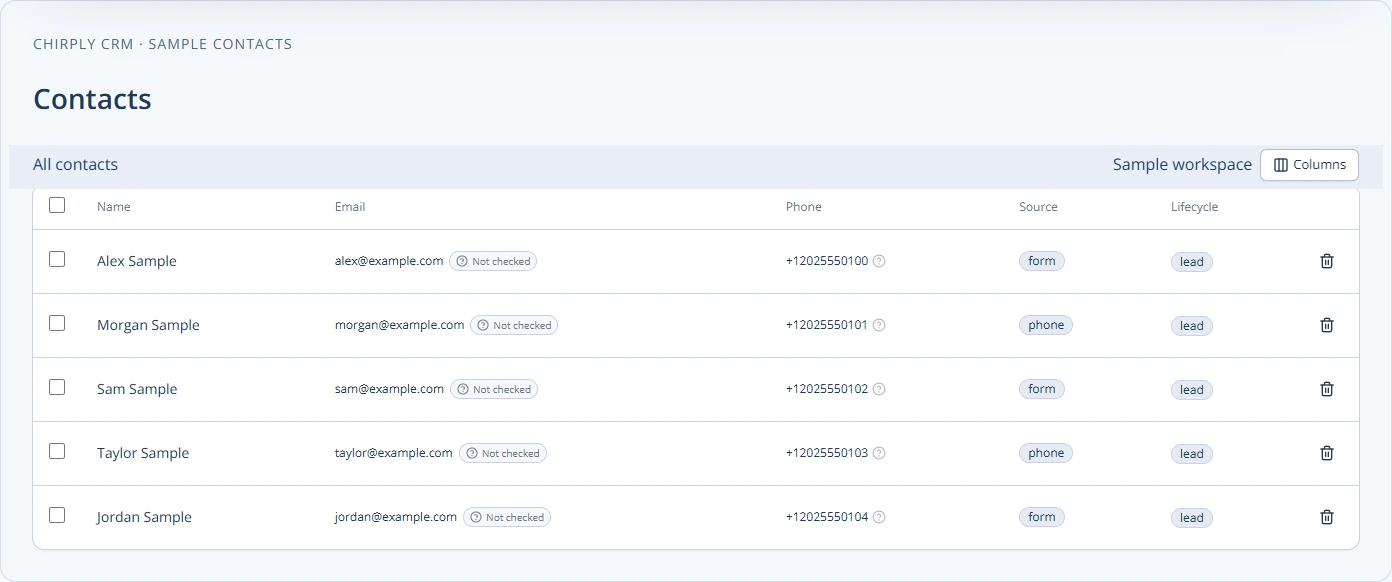
The screenshot shows Chirply's contacts table using sample records. Contact organization is the starting point; a contact status alone is not approval of a commercial change. Record who approved what, when, and where the supporting evidence lives.
Once the decision is recorded, update the tasks and dates that depend on it. If a paid addition belongs in your sales process, track that opportunity separately so the team can distinguish proposed work from approved delivery. Review Chirply's CRM and workflow features and current plans when evaluating this setup.
Review open changes each week
Use your client check-in to review requests awaiting clarification, estimates awaiting a decision, approved changes awaiting scheduling and declined or deferred ideas. Give each open item a single owner and next action.
Useful internal measures include the number of open requests, days awaiting approval and work started without a recorded decision. Track the trend in your own projects before claiming that a new process has improved profitability.
When the client chooses a later phase, retain the idea with its context instead of leaving it in an unresolved chat. When a change is approved, update the baseline so the next teammate does not need to reconstruct the project from memory. That is how a change-request process stays useful after the initial kickoff.
Common questions
Answers at a glance
Is every client revision scope creep?
No. Corrections needed to meet an agreed requirement and revisions within the agreed allowance belong to the existing work. Compare the request with the approved scope before treating it as an addition.
What should an agency change request include?
Record the requested outcome, current scope, affected deliverables, work and dependencies, price and timeline impact, options, approving person and approval evidence.
Does a CRM status count as client approval?
No. Keep evidence of the actual decision, including who approved which change and when. A status or task helps coordinate work but does not replace the approval record.
Put this into practice
Use a setup guide and its acceptance checks to turn the idea into a working process.
- Client Onboarding Checklist: Owners, Access & Handoff
- Client Reporting Template: Metrics, Evidence & Actions
- CRM Pipeline Stages: Setup & Exit-Criteria Worksheet
Put the system to work
Run the whole client journey in one place.
CRM, phone, messaging, automation, funnels, and AI, connected on one contact record and ready for your brand.
See Chirply plans