Chirply
Agencies spend a lot of time setting up client meetings and getting ready for them. This takes away from important work. You can solve this by using tools that automatically schedule meetings, send reminders, and pull up client information. This makes your agency more efficient and your client meetings better.
Why Automate Meeting Scheduling?
Think about how much time your team spends going back and forth to find a meeting time. Emails fly around, calendars are checked, and sometimes a time gets double-booked. It's a hassle. Automated scheduling tools remove this back-and-forth.
Here's how it works: You send a link to your client. They click it and see your available times. They pick one that works for them. The meeting is then automatically added to both your calendars. No more endless emails. This frees up your team to focus on client work, not scheduling logistics. It also makes your agency look more professional and organized.
How Automation Helps with Meeting Prep
Scheduling is just the first step. Getting ready for a meeting is also very important. You need to know what was discussed last time, what projects are active, and any special notes about the client. Digging through different systems to find this information takes time.
Automation can pull all this data together for you. Imagine a system that, once a meeting is scheduled, automatically gathers relevant client information from your CRM. This could include past communication, project statuses, and important client details. This information is then ready for you to review before the meeting. You walk into every meeting fully prepared, making a great impression on your clients.
Setting Up Your Automated System
Getting started with automation for your meetings isn't as hard as it sounds. Here's a simple way to think about it:
- Choose a Scheduling Tool: This is the core. Look for tools that link with your calendar (like Google Calendar or Outlook). They should also let you set your availability and create different meeting types (e.g., 30-minute intro call, 1-hour project review).
- Connect to Your CRM: This is where the magic of preparation happens. Your scheduling tool should be able to "talk" to your CRM (Customer Relationship Management) system. When a meeting is booked, it should trigger an action in your CRM.
- Automate Reminders: Set up automatic email or SMS reminders for both you and your client. This reduces no-shows. You can send one reminder a day before and another an hour before the meeting.
- Automate Data Pulls: This is the advanced step. When a meeting is booked, your system should automatically create a summary or pull up the client's record in your CRM. This way, all their important information is right there, ready for review. This could include recent emails, project progress, or past invoices.
Practical Example:
Let's say your agency is called "Creative Boost." A client, Sarah, wants to discuss a new marketing campaign.
- Before Automation: Your account manager, Tom, emails Sarah, suggesting a few times. Sarah replies with her availability. Tom checks his calendar, then replies. This goes back and forth 3-4 times. Once a time is set, Tom has to remember to look up Sarah's past projects, recent communication, and current billing status in different systems before the meeting.
- With Automation: Tom sends Sarah a link to his scheduling page. Sarah sees Tom's real-time availability and picks a slot for next Tuesday at 10 AM. The meeting is instantly added to both their calendars. An hour before the meeting, an automated email reminder goes to Sarah. For Tom, his CRM automatically pulls up Sarah's client record, showing her current project status, recent emails from her, and any open tasks related to her account. Tom reviews this information in 5 minutes, ready for a productive meeting.
This process saves Tom at least 30 minutes of scheduling time and another 15-20 minutes of prep work for each meeting. Multiply that by many clients and many meetings, and the time savings are huge.
Benefits Beyond Time Saving
While saving time is a big win, automating your meeting process offers other great benefits:
- Fewer Missed Meetings: Automated reminders significantly reduce the chances of someone forgetting a meeting.
- Better Client Experience: Clients appreciate the ease of scheduling and the feeling that you're always prepared. It shows professionalism.
- Consistent Preparation: Every team member can follow the same automated preparation steps, ensuring no important details are missed.
- Improved Data Accuracy: When data is pulled directly from your CRM, it's more likely to be current and accurate.
- Focus on Strategy: With administrative tasks handled, your team can spend more time on creative strategy and client solutions.
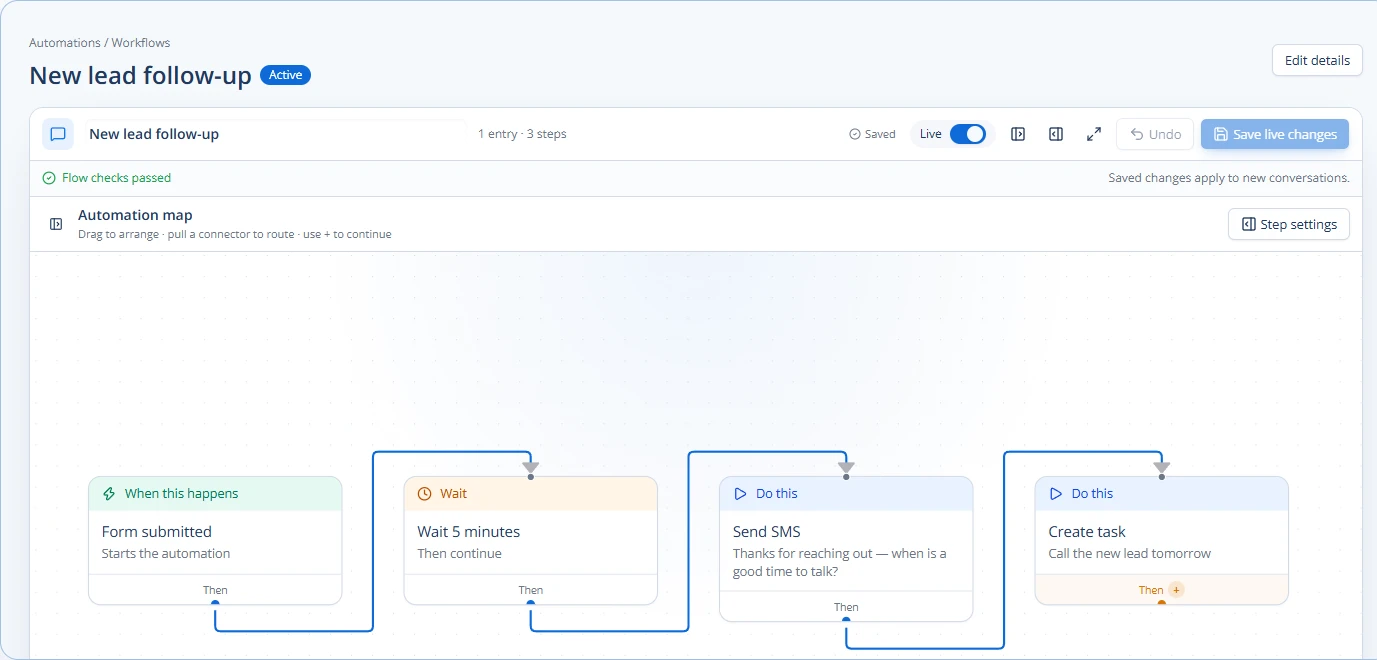
For agencies looking for an all-in-one solution, a platform like Chirply can connect your contact records, appointments, and automations. This means when a meeting is booked, you can set up workflows to automatically pull relevant client data and even trigger follow-up tasks. This streamlines your entire client interaction process, from the first touch to ongoing project management. You can even use Chirply to manage separate client workspaces, keeping everything organized.
Choosing the Right Tools
When picking tools for your agency, consider these points:
- Integration: Does it work well with your existing calendar and CRM? This is key.
- Customization: Can you customize meeting types, reminder messages, and branding?
- Ease of Use: Is it simple for both your team and your clients to use?
- Scalability: Can it grow with your agency?
- Security: How does it protect client data?
Don't overcomplicate it. Start with the core scheduling and reminder features. Once your team is comfortable, then explore deeper integrations with your CRM for automated preparation. This step-by-step approach makes it easier to adopt new technology.
Consider how your current CRM handles appointments and client data. If you're looking for a system that combines many agency functions, including appointments, client communication, and automation, explore platforms that offer these tools in one place.
Start by auditing your current meeting scheduling and preparation process. Identify the biggest time sinks. Then, research tools that directly address those pain points. Many tools offer free trials, so you can test them out before committing.
A practical next step is to map this process against the connected platform features your team already uses, then document the smallest change worth testing.
Common questions
Answers at a glance
What is automated meeting scheduling for agencies?
Automated meeting scheduling for agencies means using software to let clients book meetings directly on your calendar, without back-and-forth emails. The system automatically finds available times and adds the meeting to everyone's schedule.
How does automation help with meeting preparation?
Automation helps by automatically gathering relevant client information from your CRM (Customer Relationship Management) system once a meeting is scheduled. This could include past communications, project statuses, and important notes, so your team is always prepared.
What are the main benefits of automating agency meetings?
The main benefits include saving a lot of administrative time, reducing missed meetings with automated reminders, improving the client experience, ensuring consistent preparation for every meeting, and allowing your team to focus more on strategic work.
What kind of tools do agencies need for this automation?
Agencies typically need a scheduling tool that integrates with their calendar and a CRM system. Ideally, these tools can communicate with each other to automate both the booking process and the pulling of client data for preparation.
Put this into practice
Use a setup guide and its acceptance checks to turn the idea into a working process.
- CRM Workflow Testing Checklist & Acceptance Matrix
- Lead Follow-Up Automation: Chirply Setup Checklist
- CRM Data Quality Checklist: Fields, Tags & Ownership
Put the system to work
Run the whole client journey in one place.
CRM, phone, messaging, automation, funnels, and AI, connected on one contact record and ready for your brand.
See Chirply plans