Chirply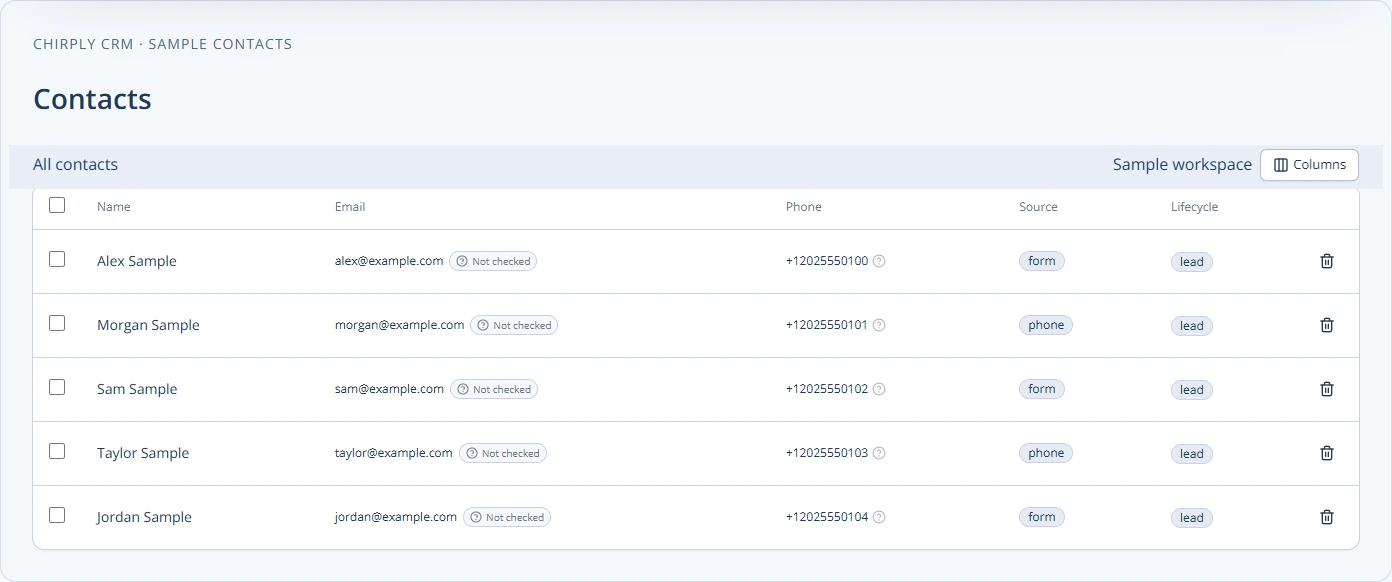
Moving your clients from their current Customer Relationship Management (CRM) system to your new white-label platform requires a clear plan. You need to make sure their important information moves safely and that they understand how to use the new system. This guide will walk you through the steps to make this move smooth and successful for both you and your clients.
Validate a small Chirply import before moving the full database
A contact import is one part of a migration. It does not prove that message history, automation state, permissions or phone routing have moved with it. Keep those workstreams separate and retain a source export until you have checked the result.
- Choose the destination client workspace in Chirply. Export a small CSV sample from the old CRM with the fields you actually need: names, email, phone, source and any agreed custom fields.
- Open Contacts → Import and inspect the column mapping before continuing. Use an import tag or owner to make this pilot batch easy to find later.
- Check duplicate behavior deliberately. Chirply's CSV import matches an existing email or phone to the existing contact and leaves that record unchanged; it is not an overwrite tool for refreshing stale records. Test one new record and one known duplicate before planning the full move.
- Compare the pilot's source rows with the imported contacts. Check phone formatting, field values, ownership and required fields. Record any skipped rows rather than assuming that the number of uploaded rows equals new contacts.
- Rebuild and validate the necessary pipeline stages and workflows independently. Create one sample deal and move it through the intended stages. Check a controlled message or task end to end before switching live traffic.
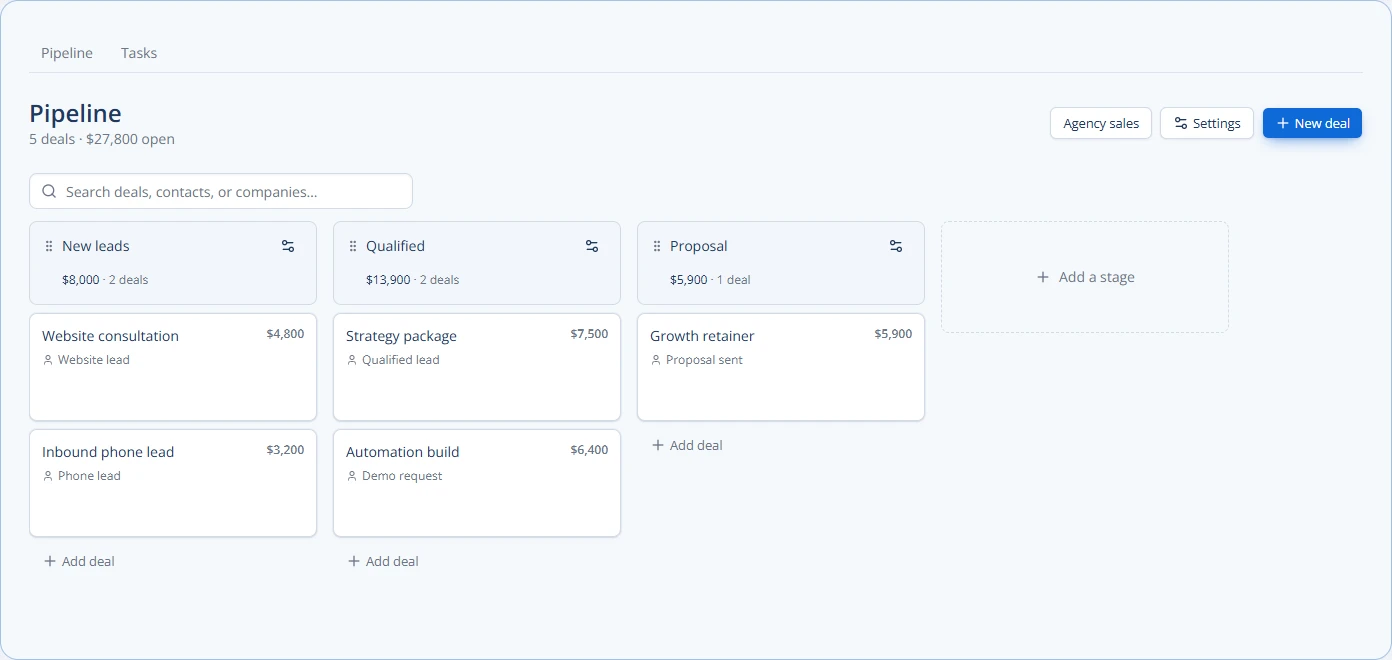
The pipeline below is the production board populated with sample deals. Use it as a checklist for stage names and ownership, not as an automatic mapping from another CRM.
Define an acceptance threshold before the cutover: all required fields mapped, duplicates understood, required handoffs tested and a named person responsible for exceptions. Review Chirply's CRM features and white-label workspace model, then migrate one client workflow at a time.
Plan Your Data Migration
Before you move any data, you need a solid plan. Think about what information your clients use in their old CRM. This could be contact details, sales opportunities, notes, or past communications.
First, identify the CRM your client is currently using. Different CRMs store data in different ways. Some might allow easy exports, while others might be more challenging. Your goal is to get all the important data out of their old system.
Next, you need to understand your new branded CRM. How does it organize information? What fields does it have for contacts, companies, and deals? This is called "data mapping." You're essentially drawing lines between the old system's data points and the new system's data points. For example, if the old CRM has a field called "Client Phone," you need to map it to the "Phone Number" field in your new CRM.
Create a spreadsheet to help with this mapping. List all the data fields from the old CRM in one column and the corresponding fields in your new CRM in another. If there's no direct match, decide what to do with that data. Maybe you create a custom field in your new CRM, or perhaps it's information that isn't needed anymore.
After mapping, you'll need to export the data from the old CRM. Most CRMs allow you to export data into a common format like a CSV (Comma Separated Values) file. This is like a simple spreadsheet. Once you have the CSV, you can clean it up. Look for duplicate entries, missing information, or incorrect formats. For example, make sure all phone numbers are in the same format. Clean data makes for a smooth import.
Finally, import the clean data into your new white-label CRM. Most modern CRMs have tools to help with this. Follow the instructions carefully, and always start with a small test batch of data if possible. This helps you catch any issues before importing everything.
Communicate with Your Clients
Moving to a new system can be scary for clients. Clear and frequent communication is key to making them feel comfortable and supported.
Start by explaining why you're making this change. Focus on the benefits for them. Will the new system be easier to use? Will it offer new features that help their business? Will it integrate better with other tools they use? Emphasize how your branded solution will improve their workflow and results.
Provide a timeline for the migration. Let them know when the old system will be phased out and when the new one will be fully ready. Give them plenty of notice so they can prepare.
Offer training and support. Don't just give them access to the new system and expect them to figure it out. Provide clear instructions, video tutorials, or even live training sessions. Make sure they know who to contact if they have questions or run into problems. A dedicated support channel or contact person can make a big difference.
During the migration, keep them updated on progress. If there are any delays or unexpected issues, tell them right away. Honesty builds trust.
After the migration, follow up. Check in with your clients to see how they are adjusting. Ask for feedback. This shows you care about their experience and helps you improve the process for future migrations.
Test and Verify Everything
Before you declare the migration complete, you must thoroughly test and verify that everything works as expected. This step is crucial to prevent problems later on.
First, check the imported data. Log into your new branded CRM and look at several client records. Does all the information look correct? Are contacts linked to the right companies? Are old notes visible? Compare data in the new system with the original data in the old CRM for accuracy. Pay close attention to important fields like contact details, deal values, and historical communication logs.
Next, test the main functions of the CRM. Can your clients create new contacts? Can they update existing records? Can they send emails or make calls from within the system? Test any automations or workflows that were set up in the old system and recreated in the new one. For example, if a client had an automation that sent a welcome email to new leads, make sure that still works.
Consider a practical example: A client uses an old CRM that tracks customer purchases. When you migrate them to your new white-label platform, you need to ensure that not only the customer's name and contact information transfer, but also their purchase history.
- Old CRM: "Customer Name," "Email," "Last Purchase Date," "Product Purchased," "Purchase Amount"
- New CRM (Chirply): "Contact Name," "Email," "Last Activity Date," "Custom Field: Product Purchased," "Custom Field: Purchase Amount"
You would map "Customer Name" to "Contact Name," "Email" to "Email." For the purchase details, you might create custom fields in Chirply if they don't have direct matches. After import, you'd check several customer profiles in the platform to confirm that "Product Purchased" and "Purchase Amount" fields show the correct data. You'd also test creating a new customer and adding a purchase to ensure the process works.
Involve your clients in this testing phase if possible. A few trusted clients can help you identify issues you might have missed. Their feedback is invaluable because they use the system every day.
Provide Ongoing Support and Training
A successful migration isn't just about moving data; it's about ensuring your clients can effectively use their new tools. Your white-label CRM, like the platform, offers many features such as pipelines, tasks, appointments, calling, SMS, email, broadcasts, and automations. Your clients need to know how to use these to their full potential.
Offer different types of support. This could include:
- Help documentation: Easy-to-understand guides and FAQs that clients can refer to anytime.
- Video tutorials: Short, clear videos showing how to perform common tasks.
- Live webinars: Scheduled online sessions where you demonstrate features and answer questions.
- One-on-one support: Direct help for clients who need more personalized assistance.
Consider creating a knowledge base specifically for your branded CRM. This can be a central place where clients can find answers to their questions. Regularly update this resource with new tips and tricks.
Encourage clients to explore the new features. Show them how the new system can save them time or help them grow their business. For example, you could highlight how the built-in AI phone agents or lead generation tools can boost their outreach efforts. Remind them about the benefits you discussed earlier.
Remember that technology changes. Your white-label platform will likely get updates and new features over time. Keep your clients informed about these changes and provide training on how to use them. This ongoing support ensures they continue to get the most value from your solution. You can learn more about managing these updates effectively by reading about [/blog/managing-updates-and-new-features-for-your-branded-platform](https://www.the platform.com/blog/managing-updates-and-new-features-for-your-branded-platform).
By following these steps, you can confidently migrate your clients to your branded CRM, making the transition smooth and beneficial for everyone involved. This strategic approach will strengthen your client relationships and solidify the value of your white-label solution. You can also explore [/blog/white-label-saas-as-a-competitive-differentiator](https://www.the platform.com/blog/white-label-saas-as-a-competitive-differentiator) to understand how this strengthens your business.
Post-Migration Review and Optimization
Once your clients are settled into the new system, your work isn't entirely done. It's important to review how the migration went and look for ways to make things even better.
Gather feedback from your clients. What did they like about the process? What was challenging? Use surveys, direct conversations, or even group meetings to get their honest opinions. This feedback is gold for improving your migration process for future clients.
Look at how clients are actually using the system. Are they adopting all the features? Are there parts of the CRM they seem to ignore? This can tell you where more training or clearer instructions might be needed. For example, if clients aren't using the invoicing features, perhaps they don't understand how it integrates with their workflow.
Identify any lingering issues or bugs. Even with thorough testing, some problems might only appear with regular use. Address these quickly to maintain client satisfaction.
Think about how you can optimize the CRM for your clients. Are there custom dashboards or reports that would be particularly useful for their business? Can you set up additional automations that save them even more time? Your branded solution, like the platform, allows for separate client workspaces and offers a wide range of tools. Leveraging these can significantly enhance your clients' experience.
Regularly check in with your clients to ensure they are getting the most out of your white-label CRM. This proactive support helps you retain clients and builds strong, long-lasting relationships.
To ensure a smooth migration, create a detailed checklist of all data fields to be moved, communication points, and testing steps. This structured approach will help you cover all bases and provide a clear roadmap for success.
A practical next step is to map this process against the connected platform features your team already uses, then document the smallest change worth testing.
Common questions
Answers at a glance
What is data mapping in CRM migration?
Data mapping is like creating a bridge between your client's old CRM and your new one. You identify each piece of information (like "client name" or "phone number") in the old system and decide where it will go in the new system. This ensures all important data transfers correctly.
How do I get data out of an old CRM?
Most CRMs allow you to export data, usually into a CSV (Comma Separated Values) file. This is a simple spreadsheet format that can then be cleaned up and imported into your new white-label CRM.
What's the most important part of client communication during a CRM migration?
The most important part is explaining *why* the change is happening and how it benefits them. Also, provide clear timelines, offer training, and be available for support to make them feel comfortable and informed.
How can I ensure the data imported correctly?
After importing, carefully check several client records in your new CRM. Compare the data with the original information from the old system to confirm accuracy. Test all major functions like creating contacts, sending emails, and using automations.
Put this into practice
Use a setup guide and its acceptance checks to turn the idea into a working process.
- CRM Evaluation Checklist & Weighted Scorecard Template
- White-Label CRM Launch Checklist for Agencies
- Client Onboarding Checklist: Owners, Access & Handoff
Put the system to work
Try the workflow in your own account.
Review the feature, choose one sample contact and test the handoff before you expand it to the rest of your team.
Explore this Chirply feature See Chirply plans