
 Chirply
Practical update · Reviewed
What can you automate in testimonial collection, and what still needs review?
Automate an appropriate invitation and organize responses, then review the customer's words and the intended publication. Track the original response, exact quote, approved attribution, placement and permission evidence. A positive feedback response or a review-site visit does not itself establish permission to reuse a testimonial in marketing.
For an illustrative website story, show the customer the proposed quote and ask whether it may appear on that page with the specified name and company. Record their response with the final wording. When a photo, logo or additional placement is proposed, include it in the approval process. This separates collecting feedback from deciding how to publish it.
Checks to put into practice
- Preview both experience paths and offer eligible customers equal access to review destinations.
- Keep requests, responses, review-site visits and verified public reviews as separate measures.
- Record approval evidence and every published placement so later changes have a clear owner.
This editorial addition was checked against current product guidance. Examples are illustrative. Review method.
Automated testimonial collection starts with a repeatable customer milestone, a short request and a clear record of what the customer permits you to publish. Use automation to make the request consistent. A customer still supplies the experience, and a person should review the quote before it appears in your marketing.
Public reviews and private testimonials need different workflows. A public review belongs on the customer's chosen review platform. A testimonial collected through your own form needs permission for its intended use. Neither process should manufacture praise or turn a positive satisfaction score into a requirement for leaving a public review.
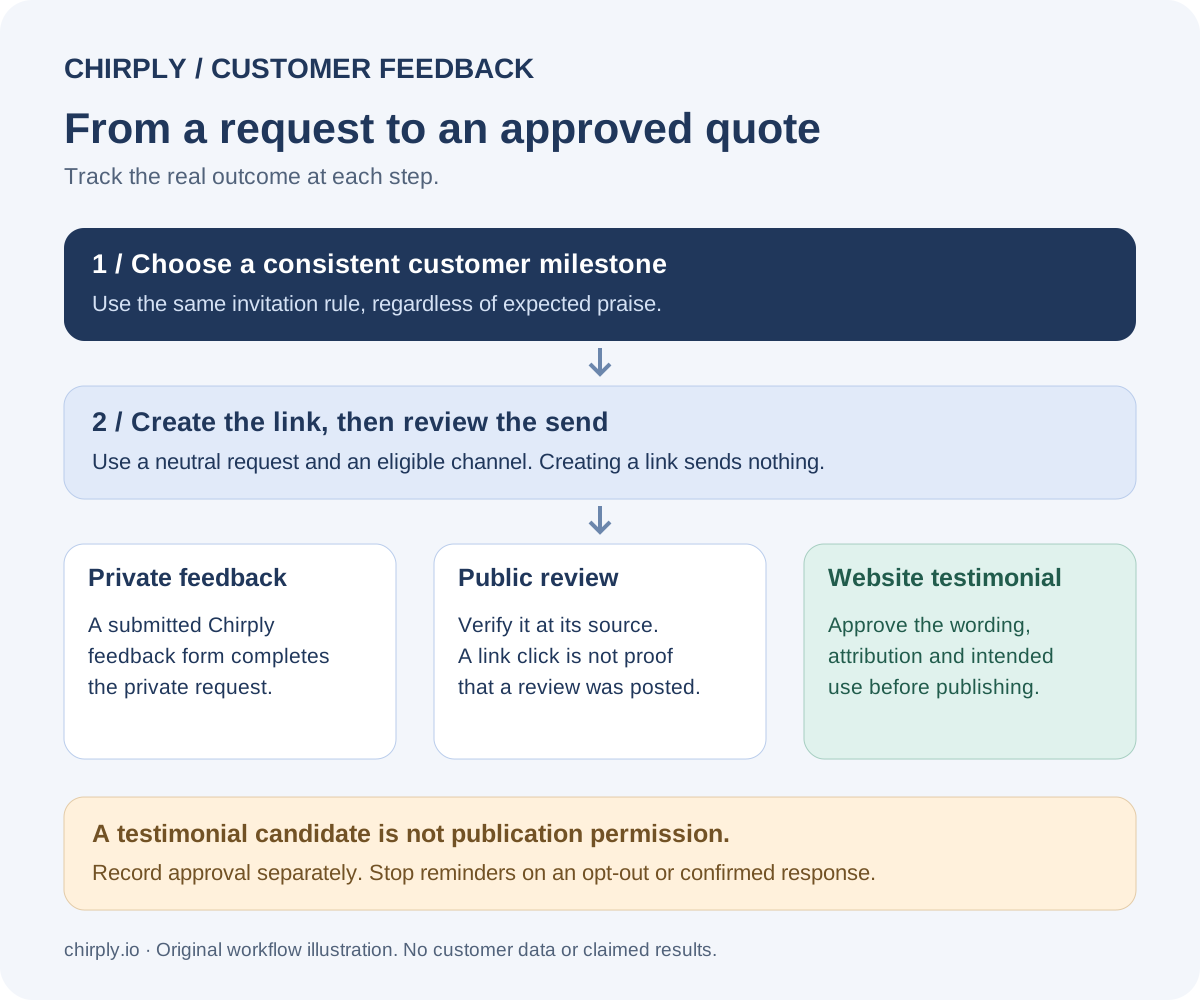
This original Chirply workflow diagram separates a completed private request from a verified public review and an approved testimonial. Open the full-size workflow reference when planning your team's request and review process. It illustrates the steps below; it is not a customer result.
Choose the destination before building the automation
Decide what you are asking for and where the response will go. Mixing three requests into one email makes it harder for the customer to finish any of them.
| Goal | Request | Record to keep |
|---|---|---|
| Improve your service | Private feedback form | Response and follow-up owner |
| Collect a website testimonial | Short description of the experience | Approved wording and publication permission |
| Request a public review | Direct link to an eligible review destination | Request date and observed response, if known |
| Produce a video testimonial | Invitation to a separate recording session | Recording, approved edit and intended uses |
For Google reviews, use a profile belonging to a business that meets Google's eligibility requirements. Online-only businesses are excluded; having a CRM or a mailing address does not change that. See Google's Business Profile eligibility rules.
Other platforms have their own solicitation rules. Check the destination before adding its link to an automated message. A private feedback form can be useful even when the business does not qualify for a local listing.
Use a neutral milestone and a clear stopping rule
A useful trigger might be completion of a service, delivery of an agreed project phase or a scheduled customer check-in. Apply the same invitation rule to customers who reach that milestone, regardless of whether you expect praise.
Do not ask customers for a satisfaction score and show the Google review link only to those who score highly. Google prohibits selective requests for positive reviews and incentives for reviews. Keep any private service-recovery path separate from equal access to the public review destination. Google's review policy explains these restrictions.
Before activating a workflow, write down four things: the qualifying milestone, the eligible communication channel, the maximum number of requests and the event that stops reminders. Consent and suppression rules still apply to email and SMS. A phone number in a contact record is not, by itself, permission to send a text.
Start with one request and at most one reminder in your pilot. Stop on an opt-out, a reply asking you to stop or a confirmed response. If the system cannot reliably match an external review to a contact, use a human confirmation step. Do not treat a link click as proof that a review was posted.
Adapt this request template
Subject: How was your experience with [business name]?
Hi [first name],
Thank you for working with us on [service or project]. Would you share your experience? We welcome honest feedback about what worked and what we could improve.
[Leave a review]
Thank you, [team member]
For a private testimonial, replace the review link with a short form asking what the customer needed, what they used and what changed. Add a separate, clear permission question covering the quote, name, company and channels where you intend to use it. Do not bundle permission into the act of sending feedback.
Keep outcomes specific. “The team can find the next follow-up task in one place” is more useful than asking the customer to supply an impressive revenue number they cannot verify. If someone volunteers a measurable result, confirm the period and supporting evidence before publishing it.
Set up a review request in Chirply
Chirply has a dedicated Reputation area for business locations, review destinations, request links and private feedback. Start there when you need to collect a response from an existing CRM contact. Creating a location inside Chirply is an internal setup step; it does not create a Google Business Profile.
- Open Reputation and add the business location you are managing. Attach the appropriate public review destination for that business.
- In the request form, choose the location. Choose Create review link to make a trackable link without sending a message. This is a useful first step for checking the destination yourself.
- To deliver a request, select SMS or email and choose an existing contact with the corresponding phone number or email address. Review the message and sending setup before choosing Text the review link or Email the review link. These buttons send a real message through the connected provider and record it in the contact conversation; provider usage is billed separately.
- The recipient can submit private feedback. After submission, configured public review options are available to every customer, regardless of rating. Private service follow-up can vary with the feedback without hiding those public options.
- Review the response in Reputation and assign follow-up where needed. A testimonial-candidate flag is an editorial lead, not permission to publish the customer’s words, name or company. Obtain and record that permission separately.
For integrations, the public API and MCP documentation describe access to the same actions. reputation.create_request creates a link; reputation.send_request sends an actual message. reputation.list_requests and reputation.list_feedback read the recorded states. Keep that distinction when connecting an external automation so a link-generation step does not accidentally become a customer send.
Pilot a repeatable workflow
Use Chirply's workflow and communication features to organize the request around a contact record. Review the current plans and provider requirements before choosing SMS or email; connected-provider usage is separate from the subscription.
- Create a synthetic contact that uses an address or number controlled by your team. Add a clear test label so it cannot be confused with a client.
- Define the service milestone in the workflow you actually use. Choose a supported trigger or a deliberate manual enrollment; do not assume every outside project tool automatically reports completion.
- Draft the neutral message using the direct review destination or your permission form. Avoid a rating-dependent route that hides public review options from some customers.
- Keep the workflow inactive while checking recipients, merge fields, sending identity and any reminder conditions.
- Send a controlled test only after reviewing the message and provider cost. Check the conversation record, the destination page and the response-handling task.
- Assign a teammate to check whether the customer responded before any reminder. Automate that check only when you have a reliable response signal.
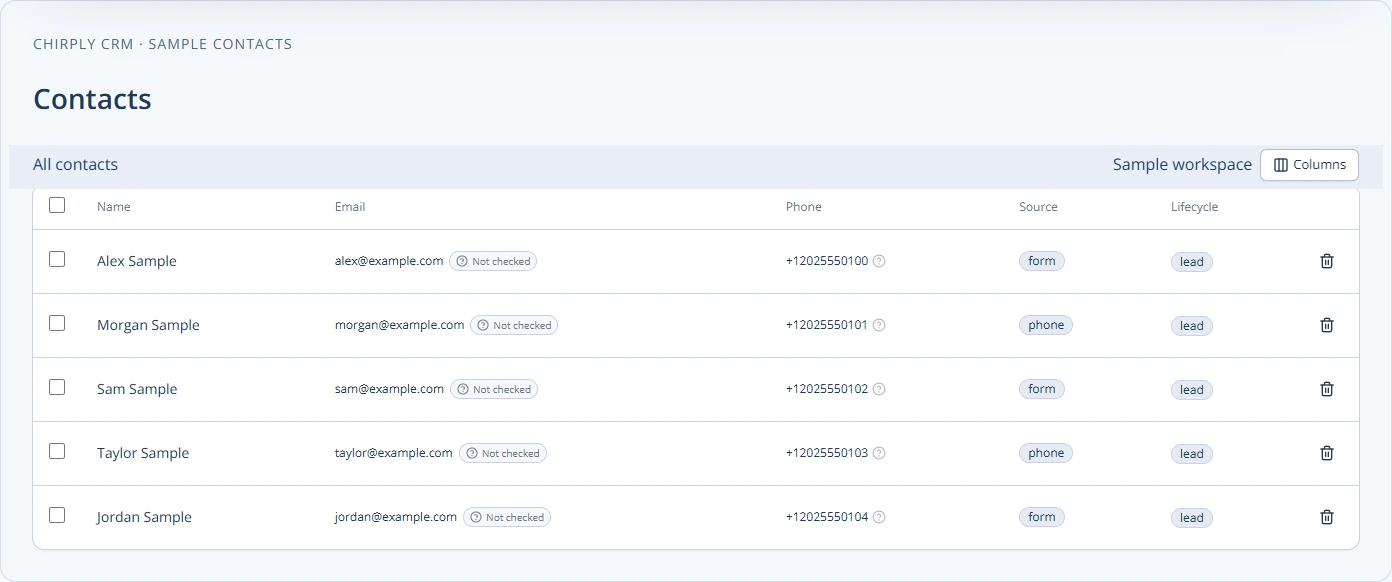
This is Chirply's actual contacts component populated with sample records. It illustrates where the customer context lives; it is not a customer testimonial or a screenshot of an activated review campaign.
What does a completed request actually mean?
In Chirply’s private feedback journey, submitting the feedback form marks that request completed. It does not prove the customer posted a Google review or approved a testimonial for publication. A link click also cannot establish either outcome.
| Signal | What it tells you | What still needs checking |
|---|---|---|
| Request created | A trackable link exists | Whether it was delivered |
| Message sent | A send was recorded | Delivery and customer response |
| Request completed | Private feedback was submitted through the journey | Any public review or publication permission |
| Testimonial candidate | Feedback is worth editorial review | Approved wording, attribution and intended use |
| Public review verified | A review was separately found at its source | Whether and how it may be reused elsewhere |
Keep these stages separate in your reporting. Otherwise, a dashboard can make ten private responses look like ten new public reviews when they are different events.
How do automated client feedback videos fit in?
Automation can organize a video invitation, scheduling and follow-up, but the customer still needs to record their experience. The Reputation request flow described here collects a rating and written feedback; it is not a browser video-recording or automatic video-editing workflow. Use a separately evaluated recording tool or a scheduled interview when video is the intended format.
Give the customer three short prompts: What were you trying to do? How did you use the service? What changed, and over what period? Let them answer in their own words. Keep the original recording, confirm any measurable claims, and get approval for the final edit and its intended placements. Link the resulting approval record to your editorial process instead of treating a completed CRM request as a release.
Review permissions and results before expanding
Keep an editorial queue with the submitted wording, intended placement, permission date and reviewer. Correct typos with the customer's agreement when needed, and do not edit a quote so that it promises a different result. Obtain approval for a video edit before using it in an advertisement or landing page.
Track invitations, responses, approved testimonials and published placements as separate counts. For example, a fictional pilot might send twelve invitations, receive four responses and approve two quotes. That is a planning example, not a Chirply customer result. Reporting each stage exposes where the process needs attention without presenting every response as publishable evidence.
Check the workflow again after changes to the destination, message or milestone. Make sure a repeat project does not create duplicate requests, a removed client stops receiving reminders and an opt-out remains suppressed. Document which person owns exceptions so a stalled automation does not become a forgotten customer conversation.
To evaluate the setup, review Chirply's trial and renewal terms and build one controlled request-to-response workflow. The trial requires a card, and provider usage is billed separately. Activate real requests only after your team verifies the audience, message and stopping rules.
Common questions
Answers at a glance
Can Chirply send automated testimonial and review requests?
Chirply can create trackable review links and send review requests to CRM contacts by SMS or email through connected providers. Use a supported workflow or integration for the milestone you need. Real sends incur provider usage, and publication permission still needs a separate check.
Does a completed Chirply request mean a Google review was posted?
No. Submitting private feedback through the Chirply feedback journey marks the request completed. Verify a public review separately at its source; a click or completed private response is not proof of a published review.
Does Chirply hide public review links from unhappy customers?
No. After private feedback is submitted, configured public review options are available regardless of rating. Private follow-up can address a problem without restricting the customer’s public review options.
Does the testimonial workflow record client feedback videos?
The Reputation request flow collects a rating and written feedback. For a video testimonial, use a separately evaluated recording tool or an interview, and review the final edit and publication permission before using it.
Does a testimonial-candidate flag give permission to publish?
No. It identifies feedback for editorial review. Obtain approval for the wording, customer attribution and intended channels, and keep a record before publication.
Put this into practice
Use a setup guide and its acceptance checks to turn the idea into a working process.
- Testimonial Collection: Permission & Publication Workflow
- Review Request Setup: Links, QR Codes & Follow-Up
- Client Reporting Template: Metrics, Evidence & Actions
Put the system to work
Run the whole client journey in one place.
CRM, phone, messaging, automation, funnels, and AI, connected on one contact record and ready for your brand.
See Chirply plans