
 Chirply
A professional voicemail greeting tells callers who they reached, what to leave and when to expect a response. For an agency, the best greeting also matches the team that will actually return the call. A polished recording cannot rescue an unattended inbox or an unrealistic callback promise.
Use the four scripts below as starting points, then test the complete path from an unanswered call to an assigned follow-up. The bracketed text is a placeholder to replace before recording, not a Chirply merge field.
What should a business voicemail greeting include?
Keep the message easy to follow when heard once. Include the business or person's name, a short explanation of availability, the information needed for a callback and a realistic next step. Ask for a name, callback number and brief reason for calling. An existing client can also leave their company name so the team can identify the right account.
Say the callback number request slowly. Avoid a long list of services, music that competes with speech or multiple web addresses. Read your draft aloud: if the caller has to remember several instructions, simplify it. Include office hours and a time zone when those details explain when someone will respond.
Choose a response commitment your team can consistently meet. If nobody owns weekend messages, do not promise a return call within 24 hours on Friday evening. Use your actual staffed hours or a verified callback window instead.
Four professional voicemail greeting examples
1. Main agency phone number
Thanks for calling [Agency Name]. We can't take your call right now. Please leave your name, company, callback number and a brief message. Our team returns messages during [staffed hours and time zone]. Thank you.
Use this for a shared line. Before publishing it, assign a person to check messages during those hours and a backup for absences. If the line handles both prospects and clients, asking for a company name helps the callback owner find the right context.
2. Account manager or individual extension
Hi, you've reached [Name], [role] at [Agency Name]. Please leave your name, callback number and what you'd like to discuss. I'll return your call [realistic callback window]. For [specific request], you can also contact [monitored alternative]. Thanks.
Delete the alternative contact sentence if it is not needed. Only name a colleague or channel that has agreed to receive those requests. A personal greeting should not send callers to an unmonitored general mailbox.
3. After-hours greeting
You've reached [Agency Name] outside our office hours. We're available [days, hours and time zone]. Please leave your name, number and a short message, and our team will respond [next staffed callback window]. Thank you for calling.
If you have a real after-hours service, describe exactly which requests it handles. Otherwise, keep the message focused on the next staffed period. Test the phone's schedule separately; writing an after-hours script does not configure routing.
4. Holiday or planned closure
Thanks for calling [Agency Name]. Our office is closed for [occasion] and reopens on [date] at [time and time zone]. Please leave your name, number and a brief message. We'll respond [verified callback window after reopening]. Thank you.
Put a reminder on the calendar to restore the usual greeting. Give one person ownership of that change. A holiday recording left running after the office reopens creates confusion even when the underlying phone system works correctly.
Set the greeting on a Chirply phone number
Chirply stores a voicemail greeting for each phone line. Open the number's settings and find Voicemail greeting. The available choices are Built-in voice, ElevenLabs, and Record or upload. For the broader calling setup, see Chirply's phone system and the Twilio connection guide.
With Built-in voice, enter the greeting script and choose a voice. With Record or upload, use a finished recording and listen to its playback. With ElevenLabs, connect that provider, select a voice and supply the script. Saving a new script or voice generates audio through your ElevenLabs account and uses provider credits.
Save the number settings, reopen them and confirm the selected source remains correct. Then call the actual business number from another phone and let the call reach voicemail. Listening to an audio preview checks the recording; calling the number checks whether the intended caller route reaches it.
For agencies managing multiple client workspaces, confirm both the workspace and the phone number before editing. A greeting for one client's line should identify that client, not the agency managing the software.
Test the recording and the message handoff
Run these checks with your own test caller before relying on the greeting:
| Check | What to verify |
|---|---|
| Business identity | The caller hears the correct company or person. |
| Audio quality | Speech is clear over a phone speaker, with no clipped opening or long silence. |
| Unanswered call | The intended greeting plays when nobody answers. |
| Closed-hours route | The configured schedule reaches the right destination and message. |
| Message retrieval | The team can find and understand the test message. |
| Callback ownership | One person owns the next action and knows its due time. |
| Recovery | The backup owner knows what to do when the primary owner is absent. |
Use a fictional inquiry rather than a real customer's sensitive details. Leave an intentionally incomplete message too, such as a name without a company, and check whether your callback process handles it sensibly.
Connect the callback to the customer record
Before returning a call, find the relevant contact, check the recent conversation and record the next action. Keep the message's actual request separate from your interpretation. If the caller only asked about availability, do not turn that into an agreed project or confirmed appointment.
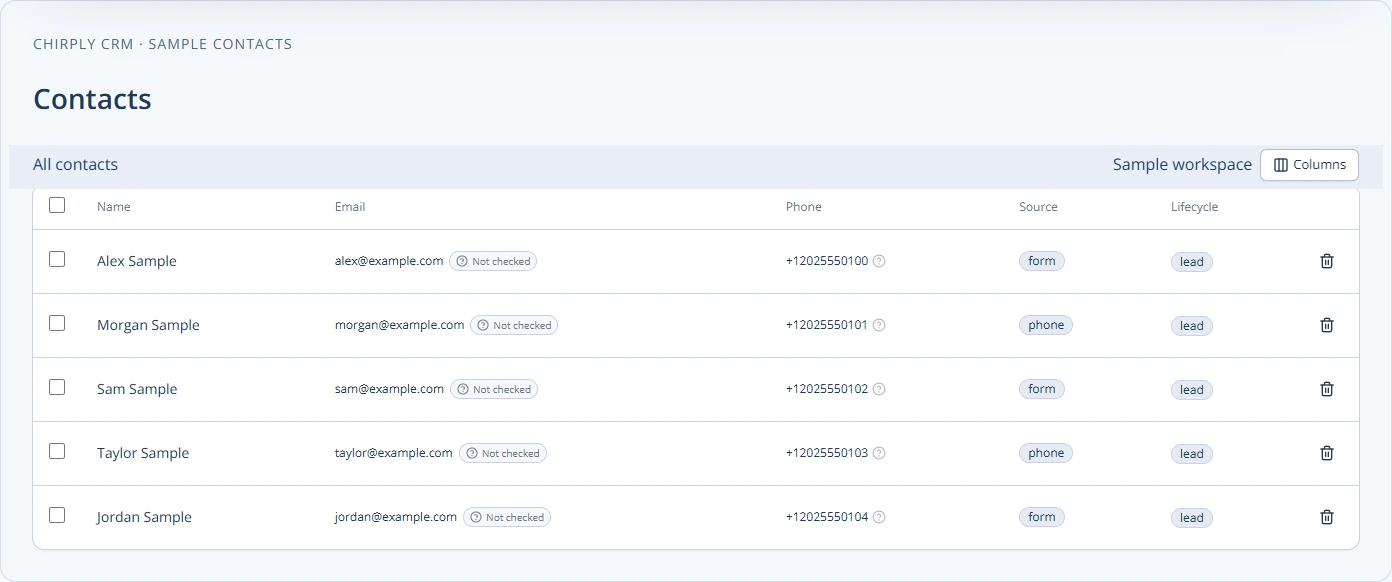
Chirply's contacts table with synthetic example records. This illustrates contact organization for follow-up, not the voicemail settings screen.
A useful callback note contains the caller, their request, the callback number, the assigned owner, the due time and the outcome. For a conversation that needs structure, use these agency sales and support call scripts.
Review the greeting as the business changes
Recheck the recording when hours, team members, routing or service coverage change. Track unanswered messages and overdue callbacks separately from greeting quality. Those measures tell you whether the team needs a clearer recording, a different route or better follow-up ownership.
If callers need interactive answers instead of leaving a message, compare the workflow with an AI receptionist and test it using the setup guide. For current platform options, see Chirply pricing.
Common questions
Answers at a glance
What should a professional voicemail greeting include?
Include the business or person reached, a request for the caller’s name and callback number, a brief reason for calling, and a realistic response window. Add staffed hours and a time zone when useful.
Can each Chirply phone number have its own voicemail greeting?
Yes. Chirply stores a greeting for each line. Open the number’s settings and use Voicemail greeting to choose a built-in voice, ElevenLabs, or a recording or uploaded audio file.
Does saving an after-hours greeting configure call routing?
No. The greeting and the schedule or route are separate settings. Call the actual number during the relevant routing condition to verify that callers hear the intended message.
How should an agency test a new voicemail greeting?
Call from another phone, let the call reach voicemail, leave a test message and verify retrieval. Check the business name, audio quality, callback owner and any closed-hours route.
Put this into practice
Use a setup guide and its acceptance checks to turn the idea into a working process.
- Customer Service Sales Scripts: Setup & Practice Guide
- Call Tracking & Dynamic Number Insertion Setup Guide
- CRM Email Sender Setup: Domain, Identity & Reply Checks
Put the system to work
Run the whole client journey in one place.
CRM, phone, messaging, automation, funnels, and AI, connected on one contact record and ready for your brand.
See Chirply plans