
 Chirply
Practical update · Reviewed
How do you write customer service sales scripts that support a useful conversation?
Identify the business, ask what the caller wants to accomplish, clarify the relevant need and agree on a next action. Keep support questions focused on the reported task and sales questions focused on fit. Use short prompts the operator can scan while listening, and record the agreed handoff in the CRM.
Illustrative opening: Thanks for calling Example Studio. What would you like help with today? A support follow-up can ask what the caller tried and what happened. A sales follow-up can ask what result would make the next step useful. Finish by confirming who will do what and when. Adapt these examples to the actual service and commitments your team can fulfil.
Checks to put into practice
- Preview contact fields and their missing-value fallbacks before a live call.
- Practice both the planned conversation and a caller who needs a different handoff.
- Create the agreed next task and confirm that its owner can find the context.
This editorial addition was checked against current product guidance. Examples are illustrative. Review method.
Customer service and sales call scripts work best when they help a person understand the situation, respond accurately and agree on a next step. A useful script gives the team a starting point and a few decision branches. It also makes room to stop talking and listen.
Below are four agency call-script templates: an inbound sales inquiry, a requested callback, a support investigation and a support-to-sales handoff. Replace every bracketed field with a verified detail. The examples are fictional templates, not transcripts or claims about customer results.
Which call script should you use?
| Situation | Start with | Aim for |
|---|---|---|
| A prospect calls about your service | Inbound sales inquiry | Understand the need and decide whether a meeting fits |
| Someone explicitly requested a call | Requested callback | Confirm timing and the next step they want |
| A customer reports a problem | Support investigation | Verified facts, an owner and the next update |
| A separate service need arises during support | Optional sales handoff | Permission to discuss it without interrupting support |
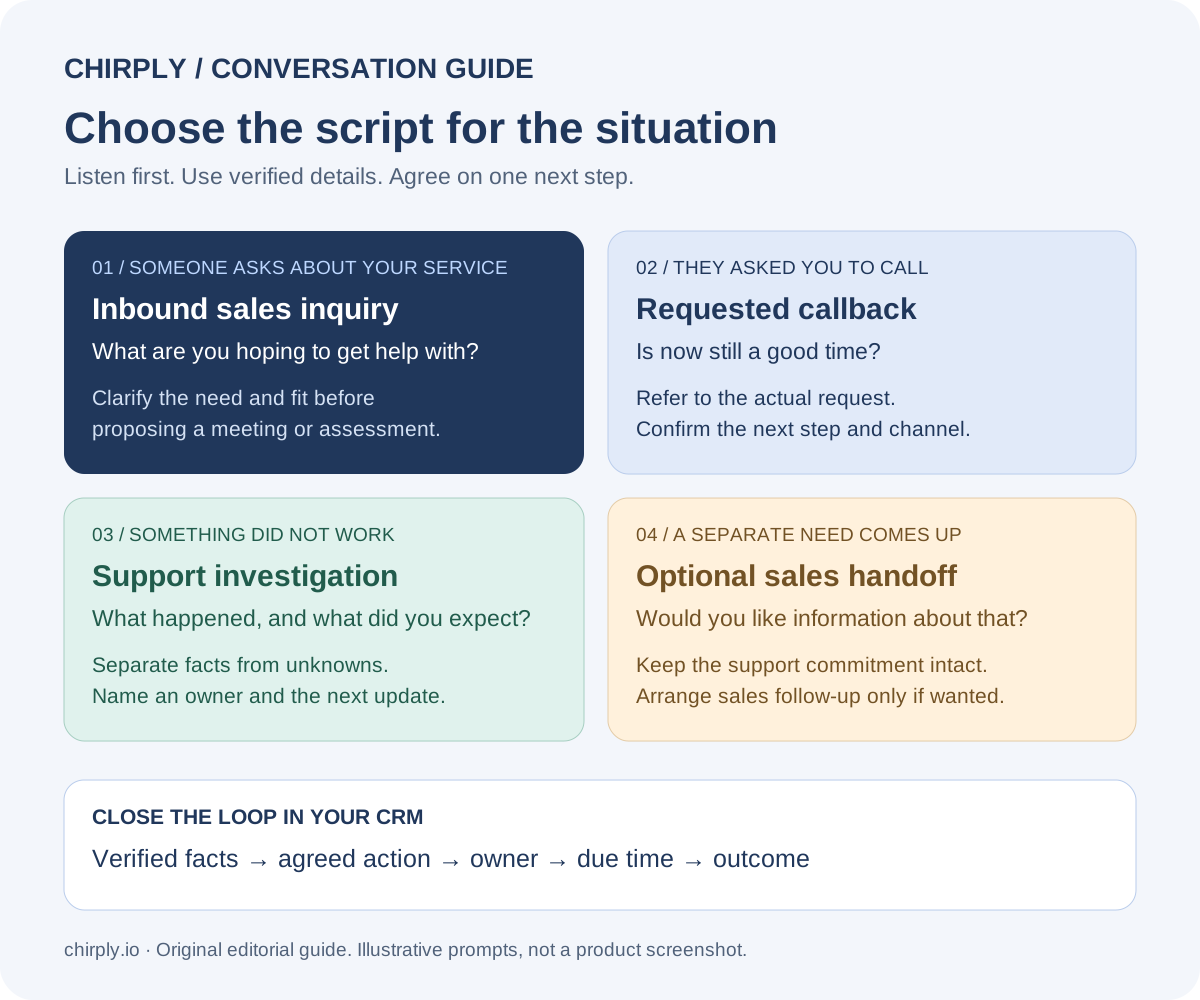
This original Chirply reference diagram summarizes the four templates below. It is an editorial guide, not a product screenshot or a customer conversation.
Open the printable call-script chooser or download the four call scripts and call-note template as plain text. No signup is required. Replace the placeholders and review your team's wording before use.
1. Inbound sales inquiry script
Use this when someone contacts your agency to discuss a service. Start by learning what they want before describing your offer.
“Thanks for calling [agency]. I'm [name]. What are you hoping to get help with?”
“What happens today when [the problem they described] comes up?”
“What would you want to be different, and when does that need to happen?”
“Let me check that I understood: you need [their priority], and the main constraint is [their constraint]. Is that accurate?”
“We can discuss [relevant service] for that situation. The next step would be [specific meeting or assessment], where we would review [inputs] and establish what we can commit to. Would that be useful?”
Pause after each question. If the prospect asks about price, answer with the current approved pricing or explain what information determines a quote. Do not substitute a vague promise of return on investment for a direct answer.
If the service is a poor fit, say so. For example: “That work falls outside what we currently provide. I don't want to book you into a meeting that won't address it.” Only suggest another provider when you have a real reason to recommend them.
2. Requested callback script
Use this when the person actually asked for a callback. Downloading a guide and requesting a call are different events; do not describe one as the other.
“Hi [name], this is [agent] from [agency]. You asked us to call about [specific request]. Is now still a good time?”
“You mentioned [detail from the request]. Could you tell me a little more about that?”
“Based on what you've said, I suggest [next step]. It would cover [scope], and we would need [information] from you.”
“Would you prefer to arrange that now, receive the details through [agreed channel], or leave it here?”
If the person says they are busy, ask whether they want another time rather than insisting the call will be quick. If they decline further contact, acknowledge that and record the preference in the process your team uses. An objection script should help you understand an answer, not wear the person down.
For “send me something,” ask what information would help and confirm the channel. Record the request accurately so the follow-up addresses it instead of sending an unrelated pitch.
3. Support investigation and escalation script
A support call needs a clear account of the problem and a realistic next step. Follow your organization's verification process before discussing private account details. Do not ask callers to share passwords, one-time codes or full payment credentials.
“Thanks for explaining that. Let me make sure I have the problem right: you were trying to [action], but [observed result] happened instead. Is that correct?”
“When did it happen, and which part of the service were you using?”
“What did you expect to see? Did an error message appear?”
“Here is what I can confirm so far: [verified facts]. I still need to check [unknown].”
“The next action is [action], owned by [person or team]. I will update you by [time you can actually commit to], even if the investigation is still open.”
Do not invent a resolution deadline to make the conversation sound reassuring. A promised update and a promised fix are different commitments. If another team must investigate, explain what you are handing over so the caller does not have to repeat the story unnecessarily.
Close by summarizing the issue, owner and next update. Ask whether the summary is accurate. Record the effect on the customer's work, the steps already tried and any evidence that can be shared appropriately.
4. Support-to-sales handoff script
Resolve the support need before introducing an additional service. A customer who needs help with something they already purchased should understand that the support process is continuing regardless of an optional sales discussion.
“We've [confirmed action or current support status]. You also mentioned [separate need]. We offer [relevant service] that we could discuss, but it is separate from resolving this issue. Would you like information about it?”
“If so, I can arrange [specific next step] with [team]. What would you want them to know before the conversation?”
“I'll record [summary] so they can pick up from here. Your support follow-up remains [existing commitment].”
If the customer declines, return to the support summary. Avoid turning a complaint into a sales qualification exercise. When they agree, distinguish the support task from the sales follow-up so each has an owner and a clear purpose.
Record the conversation and next action in Chirply
Chirply provides contact records, calling and tasks that can be linked to a contact or deal. Use that connection to keep the conversation's outcome and the next action together. In the Calls view, review the call record and assign an outcome where appropriate; use the related contact record for context and a task for follow-up.
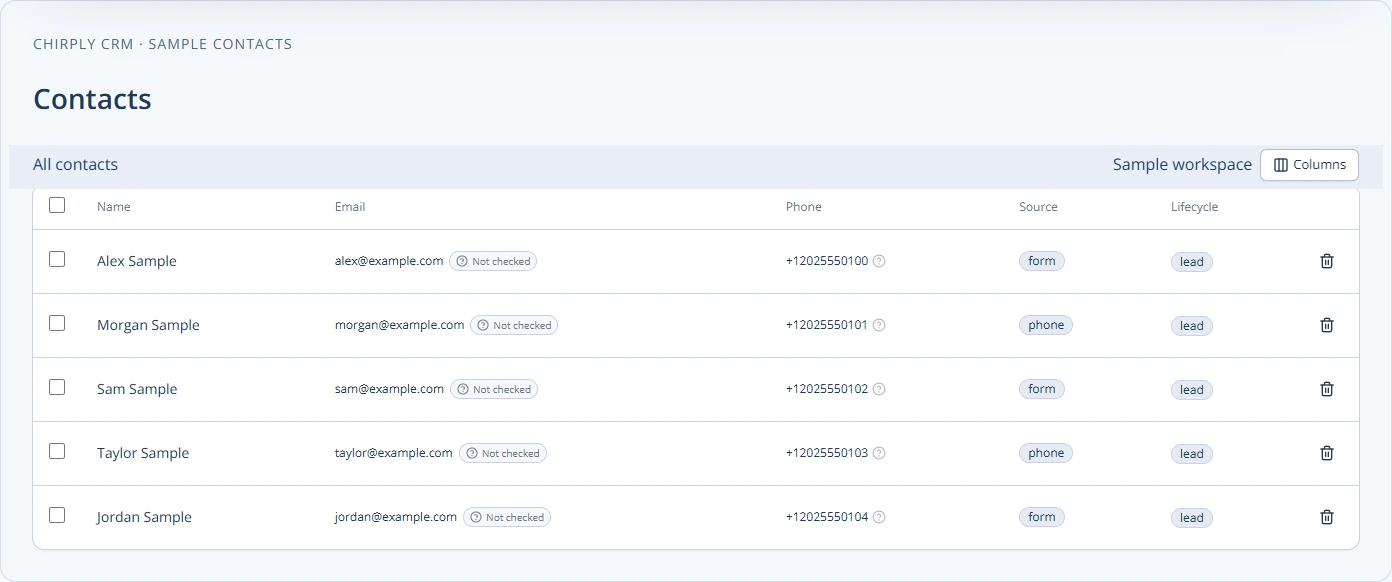
This Chirply contact-management screenshot uses sample data. Keep the person's actual request, relevant context and agreed next step in the appropriate record rather than assuming a call status explains the conversation.
Copy this call-note template into your team's process:
| Field | What to record |
|---|---|
| Reason for the conversation | The person's request in plain language |
| Confirmed facts | What you verified, separated from assumptions |
| Outcome | For example, needs investigation, meeting agreed or no further follow-up requested |
| Next action | One specific action with an owner and due time |
| Communication preference | The channel and follow-up the person agreed to |
| Open question | What still needs an answer and who will find it |
The labels above are a suggested note structure, not a list of built-in fields. Review Chirply's phone-system capabilities and current plan details when deciding how to implement the workflow for your team.
To turn an agreed next step into trackable work, use the Chirply follow-up task setup guide. Check the task’s owner and due date separately from the call outcome, and review any client-sending action before activation.
Review scripts against real outcomes
Start with a small, supervised trial. Ask whether agents understood the request, used verified facts, respected the response and recorded the next action. Review approved notes or recordings only through the access and consent process your organization uses.
Track meaningful outcomes separately: a connected call, a conversation with a person, an agreed meeting and a resolved issue are different events. For example, Twilio's Call resource documentation explains that a completed connection can involve a person, an IVR or voicemail. It does not establish a successful sales conversation.
Use the call-answer diagnosis guide when connection rates are the problem. Use this script review when conversations happen but the team loses context or fails to agree on a next step. Revise the branch that causes confusion, keep a version date, and give agents examples of when to depart from the wording.
Common questions
Answers at a glance
What should a customer service call script include?
Include a clear introduction, a summary of the issue, questions that establish verified facts, the next action and its owner, and a realistic update commitment. Distinguish a promised update from a promised resolution.
Should sales agents read a call script word for word?
Use the script as a guide. Pause for answers, reflect the person’s actual needs and choose the relevant branch. Replace every placeholder with verified information and avoid unsupported claims about results.
How should an agency handle a requested callback?
Refer to the actual callback request, confirm that the timing still works, clarify the need and agree on a next step. Do not describe a guide download as a callback request or insist on another meeting after the person declines.
Does a completed call mean the sales script worked?
No. A completed connection can involve a person, an IVR or voicemail. Record conversation outcomes and agreed next actions separately from technical call status.
Useful tools and definitions
Put this into practice
Use a setup guide and its acceptance checks to turn the idea into a working process.
- Customer Service Sales Scripts: Setup & Practice Guide
- Lead Follow-Up Automation: Chirply Setup Checklist
- CRM Workflow Testing Checklist & Acceptance Matrix
Put the system to work
Run the whole client journey in one place.
CRM, phone, messaging, automation, funnels, and AI, connected on one contact record and ready for your brand.
See Chirply plans