
 Chirply
CRM task automation turns a supported event into a concrete follow-up action. For an agency, that might mean creating a task after a form submission, a pipeline change or a call outcome. The useful result is a task with enough context for someone to act on it—not simply another record in a list.
Chirply connects tasks to CRM contacts and deals, and provides a Create task action for workflows and other supported action surfaces. This guide explains what that action sets, where ownership needs a separate step, and how to test a small sales-to-delivery handoff before expanding it.
What Chirply's Create task action actually does
The action exposes a title, description, priority and Due in (days). Title and description can use supported merge fields. When a contact is available in the action context, the created task links to that contact.
| Setting | What to enter | What to verify |
|---|---|---|
| Title | One action, such as “Confirm the approved campaign offer” | The title describes work someone can finish |
| Description | Context, the agreed next step and a completion condition | Merge fields resolve to the intended contact |
| Priority | The appropriate urgency for the work | Priority reflects a real need rather than making everything urgent |
| Due in (days) | An interval from when the action runs | The resulting due date fits your team's schedule |
| Contact context | Supplied by the workflow or action's context | The task appears against the correct customer |
The due interval is calculated in 24-hour days from execution. It is not a business-day calendar that automatically skips weekends or holidays. Review the actual timestamp when testing a workflow used across time zones.
The current Create task action does not include an assignee selector or a deal selector. Do not describe it as automatically distributing work to the right team member. Task records support those fields through the task editor and task API, but that broader task model is different from what this action configures.
Give the created task an owner
Open Tasks, available alongside Pipeline, and review the new item. In the task editor, choose an Assignee, confirm the due date and add the relevant contact or deal association where needed. A task can have a status of Open, Done or Canceled; its priority can be Low, Normal, High or Urgent.
For an integration, the task API exposes create and update operations with an assignee, due timestamp, contact and deal fields. Consult the API and MCP documentation for the current input schema and access requirements. Do not assume a field accepted by the task API also exists in the visual Create task action.
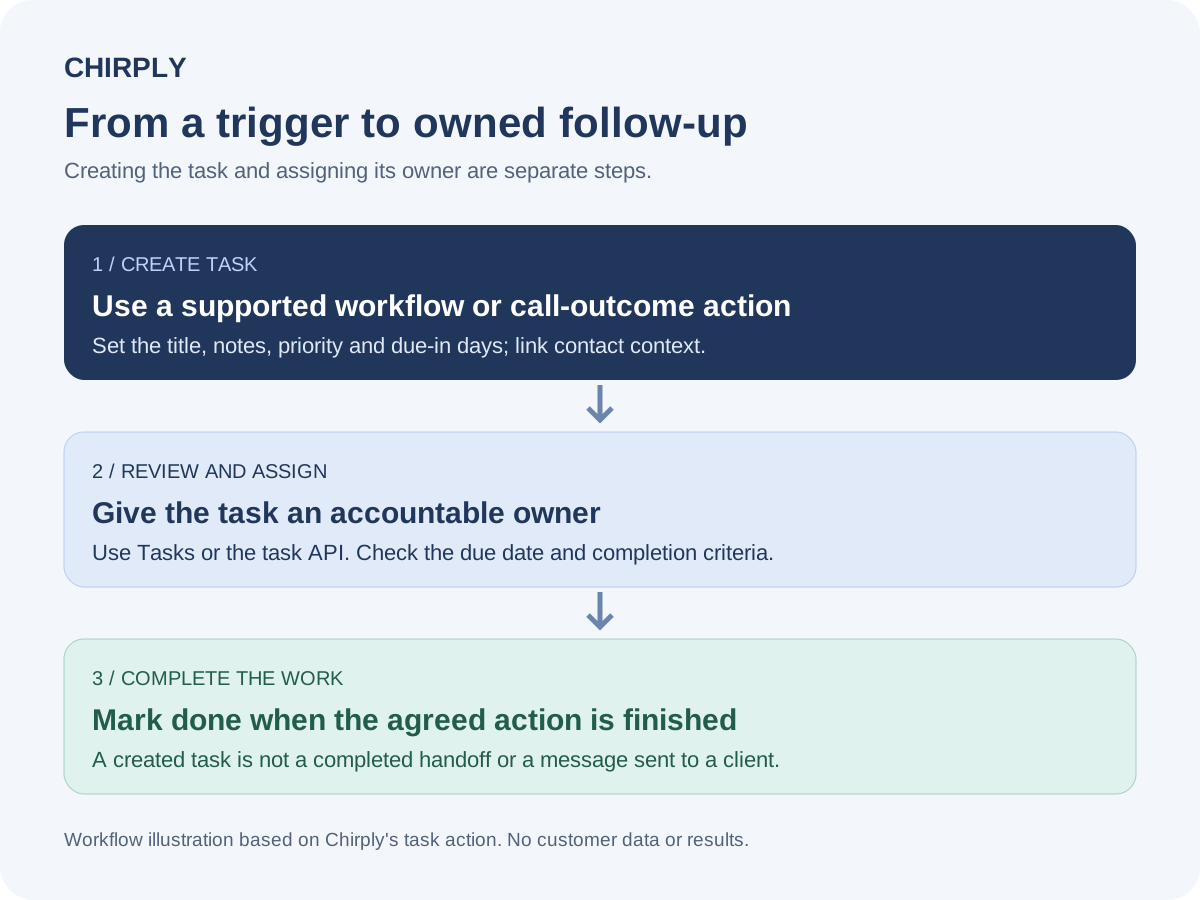
This original workflow illustration separates creating a task from assigning accountability. It represents the action's behavior, not a customer result or a screenshot of an activated workflow.
If your process depends on automatic owner selection, demonstrate the exact assignment mechanism in your pilot. A team name written in the description is useful context, but it does not populate the Assignee field. Keep an explicit review step until the intended assignment path is working.
Build a small agency handoff
Use a fictional campaign with one agreed deliverable: a landing page whose offer still needs client approval. This gives you a concrete test without inventing a customer result.
- Choose a reliable event. Use a supported trigger such as a relevant pipeline stage change, or a deliberate manual enrollment for the pilot. An approval in another project tool is not automatically available as an event in Chirply.
- Add Create task. Use the title “Confirm approved offer for {{first_name}}” only if that merge field is appropriate in the current context. Put the brief location and completion condition in the description.
- Set priority and due interval. Pick a deadline your team can meet, then inspect the generated timestamp. Do not assume a Friday run produces a Monday due date.
- Review the created record. Check the customer link, resolved text and due date. Assign a team member and add a deal association when the handoff needs it.
- Complete the actual action. Mark the task Done after the approved wording is recorded. Sending a reminder is not the same as receiving approval.
Use the agency project-management scorecard if the wider handoff needs formal approvals, dependencies or resource planning. CRM-linked tasks can support the next action without proving every specialist delivery requirement is met.
Turn call outcomes into actionable follow-up
Create task is also available for configured call-outcome actions. A useful outcome might lead to a specific follow-up, but the person handling the call still needs to record what was actually agreed.
Use the customer service and sales call scripts to structure that conversation. Then create a task whose description captures the request, owner review and due time. “Send the information the prospect requested” is more useful than “Follow up” when the call established exactly which information matters.
Creating the task does not itself send the requested information to the client. Any SMS, email or call action is a separate operation, with its own audience, provider setup and usage costs. Review those actions before activating a workflow that communicates with real people.
Test completion and repeat-entry behavior
Chirply includes a Task completed trigger for a task linked to a contact being marked Done. Test the exact path your team uses instead of assuming every external project update or task record produces the event you need.
During the pilot, check these cases:
- The intended event creates the expected task for the correct contact.
- The same contact encountering the event again does not create an unwanted duplicate handoff.
- Missing merge-field data leaves a task the team can understand and correct.
- The reviewer can find and assign the task without reconstructing the original conversation.
- Marking the relevant task Done produces only the intended next step.
- Canceling work or changing the deadline is reflected in the team's process.
Do not build a broad “every completed task creates another task” loop without a stopping condition. Start with one stage of the process, inspect the workflow run and task record, and expand after the behavior is repeatable.
Measure whether the handoff works
Track created tasks, tasks awaiting ownership, overdue work and completed actions as different counts. A successfully executed automation proves the action ran; it does not prove the customer received a response or that the project finished on time.
Review a small set of handoffs with the people doing the work. Ask whether the task had the correct context, whether ownership was clear and whether the completion condition was useful. Fix missing information before adding more triggers.
Explore Chirply's automation and CRM features and current plans and provider costs to evaluate the full setup. Start with a team-controlled test record and one follow-up path, then review the audience and any sending actions before turning it on for clients.
Common questions
Answers at a glance
What does Chirply’s Create task action set?
It sets the task title, description, priority and a due interval. When contact context is available, the task links to that contact. The current action does not configure an assignee or deal association.
Does the workflow action automatically assign the task?
No. The current Create task action has no assignee selector. Review and assign the task in Tasks, or use the task API’s supported assignee field through an appropriate integration.
Does Due in days skip weekends?
No. The action calculates the due timestamp using 24-hour days from execution. Check the actual date and time in your pilot rather than assuming a business-day schedule.
Can completing a task trigger another workflow?
Chirply includes a Task completed trigger for a task linked to a contact being marked Done. Test the actual completion path and stopping conditions before chaining follow-up work.
Does creating a follow-up task contact the client?
The Create task action creates a task record. Sending a client SMS, email or call requires a separate action with its own audience, provider setup and usage costs.
Put this into practice
Use a setup guide and its acceptance checks to turn the idea into a working process.
- CRM Workflow Testing Checklist & Acceptance Matrix
- Lead Follow-Up Automation: Chirply Setup Checklist
- CRM Data Quality Checklist: Fields, Tags & Ownership
Put the system to work
Run the whole client journey in one place.
CRM, phone, messaging, automation, funnels, and AI, connected on one contact record and ready for your brand.
See Chirply plans