
 Chirply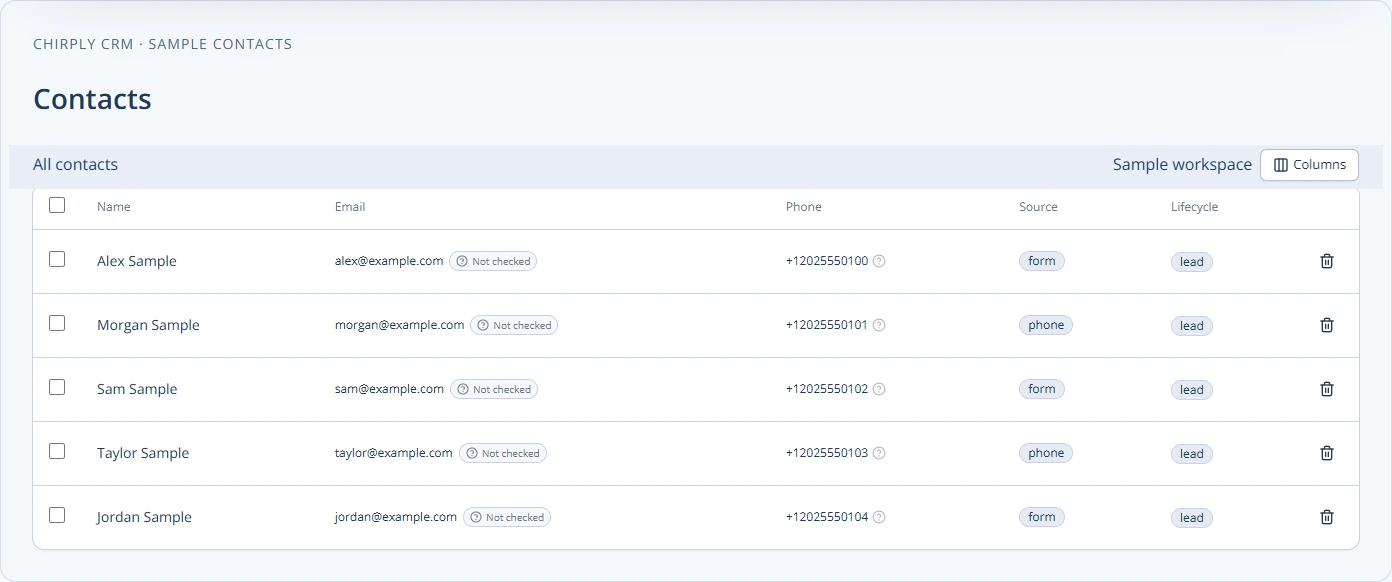
Answer: Yes — you can streamline client tracking and workflows by connecting your phone system to your CRM. Do this by mapping key call events to CRM records, choosing an integration method (native, connector, or API), and automating follow-up tasks. The result: better client history, faster follow-ups, and fewer dropped leads.
Check the phone-to-contact handoff in Chirply
A successful phone integration should leave a useful record for the next teammate. Test call handling, contact matching and the follow-up path separately rather than stopping when a number rings.
- Confirm the intended client workspace, then open Settings → Integrations and connect its Twilio account. Chirply provisions the needed voice application and API key on save; numbers bought or brought in through Chirply are pointed back to the workspace automatically.
- Open Phone → Numbers and inspect the line's inbound routing. Choose the destination that fits the business: for example, the team, a phone menu or an AI receptionist. Verify the receiving team or agent before sending customer traffic there.
- Call from a phone you control. Open the matching contact record and check the call entry on the activity timeline. Repeat with a known contact so you can confirm the conversation stays attached to the expected person.
- Test the unanswered-call path as well as an answered call. If you enable text-back, verify SMS capability and the actual sending result. Do not assume a recorded call proves a text was delivered.
- Ask a second teammate to find the call and the next task using the contact record or Conversations. That handoff is the operational benefit you are trying to establish.
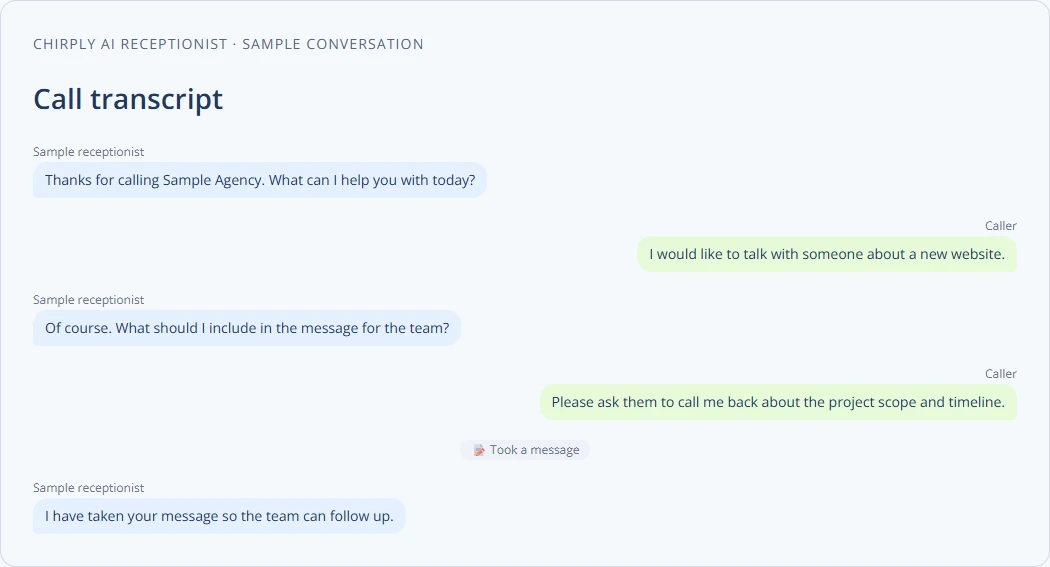
The sample transcript below demonstrates Chirply's call conversation display when an AI agent is involved. It is a synthetic UI example, not a call from a customer account.
Measure the work the integration removes: duplicate entry, time spent locating a call and missed follow-up tasks. Keep provider usage costs separate from the CRM subscription. Review the Chirply phone system and shared inbox, then validate one line before changing the rest.
Why integrate telephony and CRM?
Phone calls still start many agency conversations. When calls live outside your CRM, notes get lost, tasks are missed, and billing records are incomplete. Integration makes calls first-class data.
Concrete benefits:
- Calls attach automatically to contact records.
- Missed-call alerts create follow-up tasks.
- Call recordings and transcripts appear in one place for handoffs.
- Workflows trigger SMS or email after a call.
That means less manual logging and clearer client history.
Core components to plan before you start
List the building blocks you must decide on up front.
- Phone source: your VoIP provider, SIP trunk, or carrier.
- Data points: caller ID, call start/end, call recordings, transcription, disposition.
- CRM objects: contacts, opportunities, activities, tasks, notes.
- Automation triggers: missed call -> task, voicemail -> email, sale -> invoice.
- Security and access: who can listen to recordings and who edits contact data.
Write a short spec for each item. Keep it to one page per client workspace.
Step-by-step integration guide
- Map outcomes first. List the actions you want after a call: create lead, set task, log note, send SMS.
- Inventory current systems. Record provider names, admin access, and API keys.
- Choose integration method (see decision framework below).
- Configure basic call logging: link caller number to contact, log call time and direction.
- Add automations: missed-call task, follow-up email, or close-lost tag.
- Test with 5–10 real calls and adjust dispositions and scripting.
- Roll out to the whole team with a short playbook and training.
Checklist — what to verify before go-live:
- Admin access for phone provider and CRM
- Match rules for phone numbers and contacts
- Call recording and storage location set
- Automations tested with sample calls
- User permissions for call data
- Team training scheduled
Decision framework: how to pick an integration method
| Method | Best for | Pros | Cons |
|---|---|---|---|
| Native CRM telephony | Agencies using one vendor that offers phone + CRM | Fast setup, single console | May be less flexible for advanced routing |
| Connector/Marketplace app | Agencies using popular VoIP providers | Quick, supported connectors | May cost extra, limited custom fields |
| Custom API integration | Agencies with complex workflows or multiple carriers | Fully tailored, handles special rules | Requires dev resources and testing |
Pick native if you want speed. Pick a connector if your provider is supported. Choose API when you need custom logic or multi-provider routing.
Practical example: small marketing agency
Situation: A 6-person agency handles inbound sales and client support calls. They use a VoIP provider and a CRM.
Goal: Capture every call on the contact timeline, create a follow-up task for missed calls, and record calls for onboarding reviews.
Steps they took:
- Mapped desired outcomes: attach calls to contact, auto-create follow-up task for missed calls, store recordings in client folder.
- Used a connector from their VoIP vendor to the CRM. Set matching rule: normalize phone numbers to E.164 for matching.
- Created automations: missed incoming -> create task assigned to account rep; voicemail -> email transcript to account rep.
- Trained team with two short scripts: one for new leads and one for support calls.
- Tested by calling from three different phones and verifying that calls attached to the correct contact and tasks were created.
Result: Fewer missed follow-ups and clearer handoffs between sales and account managers.
Recording, SMS, and compliance notes
Call recording, SMS, and broadcast rules change by country and carrier. Verify requirements with your provider or counsel before you record or send messages.
Useful resources to check current rules:
- FCC guidance on political calls and texts: https://www.fcc.gov/rules-political-campaign-calls-and-texts
- FTC CAN-SPAM business guide: https://www.ftc.gov/business-guidance/resources/can-spam-act-compliance-guide-business
- Twilio A2P 10DLC overview (messaging rules): https://www.twilio.com/docs/messaging/compliance/a2p-10dlc
Provider procedures and legal requirements can change. Verify the current rule with your phone provider or qualified counsel before you act.
For call-recording best practices, see our guide on consent and storage: /blog/best-practices-for-recording-client-calls-consent-storage.
Team rollout and scripts
Train agents with short scripts and a decision tree. Keep scripts under 60 seconds for initial calls. Capture three data points every call:
- Client intent (reason for call)
- Agreed next step (call back, demo, send proposal)
- Owner and due date
Draft two short scripts and test them during training. For help with scripts, see: /blog/creating-effective-call-scripts-for-agency-sales-support.
Where to add telephony features in your CRM
Place call logs and recordings on the contact timeline. Use separate client workspaces if you serve multiple brands. If you want a single product that ties contacts, calling, SMS, email, automations, and invoices together, evaluate your CRM feature list carefully: /features.
Final checklist before you flip the switch
- Normalize phone numbers and contact matching rules
- Test automations with live calls
- Confirm where recordings and transcripts are stored
- Set access controls for sensitive call data
- Create short playbooks and run a 1-week pilot
If you prefer a white-labelable option that bundles telephony, automations, and client workspaces, consider evaluating Chirply as part of your vendor shortlist.
Next concrete step: Map three key phone flows your agency uses today (new lead, support request, billing inquiry). For each flow, write the desired CRM outcome, then run five test calls to confirm the mapping and automations.
Common questions
Answers at a glance
What are the main ways to connect a phone system to a CRM?
You can use a native telephony feature built into the CRM, a connector or marketplace app provided by your VoIP vendor, or a custom API integration. Native is fastest, connectors are common and supported, and APIs give full control but need development.
How do I ensure calls attach to the right contact in the CRM?
Standardize phone number formats (E.164), set match rules in the CRM, and test with multiple phone numbers. Include fallback logic: if no match, create a lead with the incoming number and a note.
What should I automate after an incoming call?
Common automations: create a follow-up task for missed calls, send a summary email after key calls, tag contacts based on call disposition, and start nurture sequences for new leads.
Do I need to worry about compliance for recordings and SMS?
Yes. Rules vary by jurisdiction and carrier. Verify current requirements with your provider or qualified counsel, and consult primary resources such as the FCC, the FTC CAN-SPAM guide, and Twilio's A2P 10DLC documentation.
Put this into practice
Use a setup guide and its acceptance checks to turn the idea into a working process.
- Customer Service Sales Scripts: Setup & Practice Guide
- Call Tracking & Dynamic Number Insertion Setup Guide
- CRM Email Sender Setup: Domain, Identity & Reply Checks
Put the system to work
Try the workflow in your own account.
Review the feature, choose one sample contact and test the handoff before you expand it to the rest of your team.
Explore this Chirply feature See Chirply plans