
 Chirply
Practical update · Reviewed
What should you check before enabling appointment reminders?
Verify the event, attendee timezone, location, sender and selected reminder intervals. Test a controlled booking, then reschedule and cancel test appointments to check future messages. Review built-in reminders alongside any separate appointment workflows so the combined cadence matches your intent.
For an illustrative consultation, the useful message identifies the business, appointment and how to review joining or change instructions. Choose the timing for that service instead of applying the same cadence to every event. Confirm the received message from a controlled attendee's perspective and check where a reply reaches the team.
Checks to put into practice
- Review the event's configured timing rather than assuming a default cadence.
- Check appointment changes across every enabled send path.
- Assign reply coverage and account for connected-provider usage.
This editorial addition was checked against current product guidance. Examples are illustrative. Review method.
An SMS appointment reminder gives someone the meeting time, location or join link, and a clear way to change their booking. An appointment confirmation acknowledges the booking itself. Treat those as separate messages: sending another reminder does not prove that the recipient confirmed or attended.
For an agency, start with one event type and a small test using your own phone. Verify the booking, message, reschedule and cancellation paths before adding reminders across every client calendar.
What should an appointment reminder say?
A useful text identifies the business, names the appointment, includes the date and time zone, and gives one next action. For a remote consultation, include the verified join link. For an in-person meeting, include the location or a link to directions. Keep sales offers out of a message whose purpose is to help someone attend an existing booking.
Use an explicit date where possible. A message saying only "tomorrow at 2" can become ambiguous if delivery is delayed or the recipient is traveling. Check the appointment's time zone instead of assuming that the sender and attendee share one.
Decide who will handle replies. "Reply YES to confirm" is only useful when someone or a tested workflow processes YES and updates the appropriate record. "Reply NO to cancel" should not appear unless that cancellation behavior actually exists and has been tested.
Four SMS appointment templates
These are editorial examples for a message you control. Replace the bracketed placeholders with verified values or the supported fields in your chosen message editor. They are not literal Chirply merge tags, and the built-in reminder timing controls do not provide a custom-copy field.
Booking confirmation
[Business]: Your [appointment] is booked for [date] at [time and time zone]. Details and changes: [verified booking-management link]. Reply STOP to opt out of texts.
Use a management link only if the booking actually provides one. If the process requires a team member to make changes, give that monitored contact method instead.
Reminder before a consultation
[Business]: A reminder of your [appointment] on [date] at [time and time zone]. Join here: [meeting link]. Need a different time? [verified change method]. Reply STOP to opt out.
Review the final message on a phone. Long links and unnecessary detail make the useful information harder to find. Avoid including private project details that could appear on a lock-screen preview.
Rescheduled appointment confirmation
[Business]: Your [appointment] has moved to [new date] at [new time and time zone]. Updated details: [verified link]. Reply STOP to opt out of texts.
Send this only after the new booking is saved. A request for a different time is not a completed reschedule. Check that the old slot's reminders will not continue firing.
Cancellation acknowledgement
[Business]: Your [appointment] on [date] at [time and time zone] is cancelled. To arrange a new appointment, use [booking link]. Reply STOP to opt out of texts.
The cancellation must already be recorded. Keep any new booking invitation optional and relevant to the recipient's request.
Configure appointment reminders in Chirply
Open Scheduling, then create or edit the event type you want people to book. An owner or administrator can configure its duration, location, availability, buffers and minimum notice. Review Booking questions so the booking collects the contact information your reminder channel needs.
In Reminders, choose Text or Email, select an interval and click Add reminder. Options include one day, two hours and 30 minutes before the meeting. Save the event type. These controls choose when and how a built-in reminder sends; the templates above illustrate wording for separately configured messages.
Connect the appropriate messaging provider before testing texts. Start with one interval that fits the meeting, then evaluate whether another reminder is useful. A one-day reminder may suit a planned consultation, while a last-minute booking needs a different test. Do not assume every newly booked event will receive a reminder whose scheduled time has already passed.
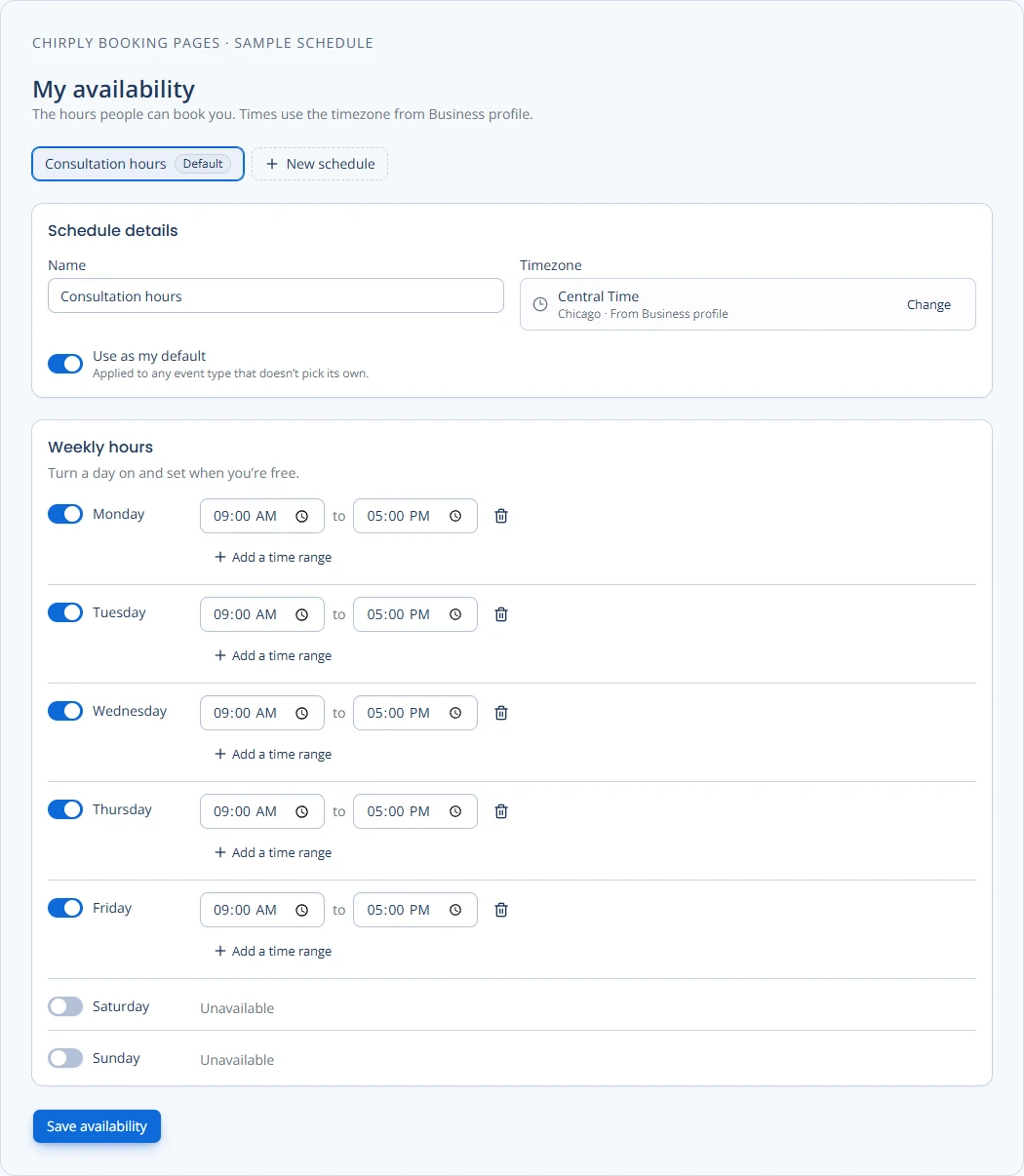
Chirply's availability editor with sample hours and time zone. Set availability first, then configure reminders separately on the event type.
Copy the public booking link and book with your own contact details. Check the saved time, recipient and actual received message. See Chirply booking pages for the wider scheduling workflow and the Twilio setup guide for the phone connection.
Check permission, replies and duplicate messages
Entering a phone number alone should not be treated as permission for every kind of text. Twilio's policy requires consent for the messages being sent, sender identification and a way to withdraw consent. Keep evidence of the recipient's permission and honor opt-outs. Requirements depend on the actual use case and destination; review Twilio's current messaging policy when configuring your program.
Make one system responsible for each reminder. If the event type sends a reminder and an automation sends the same message, the recipient can receive duplicates. Chirply's Appointment booked automation trigger can support a distinct follow-up, such as an internal task, rather than repeating the event's reminder.
Check the inbox after test replies. An opt-out is a messaging preference; it does not by itself tell your team that an appointment was cancelled. Likewise, a plain-language request to change a time needs an owner until the booking record is updated.
Test the entire booking lifecycle
| Test | Evidence to collect |
|---|---|
| Normal booking | Correct contact, date, time zone and one expected reminder. |
| Booking near the start time | Actual reminder behavior when earlier intervals have passed. |
| Reschedule | New time saved and no obsolete reminder for the old time. |
| Cancellation | Booking cancelled and no subsequent reminder for that appointment. |
| Missing or invalid phone | Visible delivery problem and a clear staff follow-up process. |
| Opt-out | Text preferences respected without silently changing appointment status. |
| Reply asking a question | A team member sees the request and owns the response. |
Use your own test records and note the outcome of each case. If a test fails, correct the configuration before expanding the rollout. Keep email and SMS tests separate so success on one channel does not hide a failure on the other.
Measure attendance separately from SMS delivery
Track appointments booked, messages delivered, reschedules, cancellations and attended meetings as distinct events. Define the denominator for any attendance rate, especially whether cancelled appointments are excluded. Compare equivalent event types and time periods before attributing a change to reminders.
Twilio distinguishes queued, sent, delivered and undelivered message states. A delivery receipt does not establish that someone read the SMS, confirmed the meeting or attended it. Use the provider's message-status documentation to interpret delivery results, and the actual appointment outcome to evaluate attendance.
When this single-event test works, expand the configuration to the next event type. Compare Chirply features and current pricing against the scheduling, communication and follow-up process your agency needs.
Common questions
Answers at a glance
How do I add an SMS appointment reminder in Chirply?
Open Scheduling and edit an event type. In Reminders, choose Text, select an interval, click Add reminder and save. Connect the messaging provider and test a booking with your own phone number.
Can I paste a custom template into the built-in reminder controls?
The event type’s built-in Reminders controls configure timing and channel; they do not provide a custom-copy field. The article’s templates are examples for separately configured messages, not literal Chirply merge tags.
Does replying YES automatically confirm an appointment?
Do not assume it does. A reply needs a monitored inbox or a tested workflow that updates the appropriate record. Only ask for a keyword response when that handling has been configured and verified.
Does a delivered SMS mean the appointment was confirmed?
No. SMS delivery, recipient confirmation and appointment attendance are different outcomes. Check message delivery separately from the booking record and the actual meeting outcome.
Useful tools and definitions
Put this into practice
Use a setup guide and its acceptance checks to turn the idea into a working process.
- Appointment Reminder Setup: Timing, Replies & Testing
- CRM Workflow Testing Checklist & Acceptance Matrix
- Calling and SMS setup
Put the system to work
Try the workflow in your own account.
Review the feature, choose one sample contact and test the handoff before you expand it to the rest of your team.
Explore this Chirply feature See Chirply plans