Chirply
Agencies can use AI-powered chatbots to capture leads from their website 24/7 and qualify them without needing a human to be online. This guide will show you how to design, train, and put a chatbot into action so it can help your agency grow by always being ready to talk to potential clients.
Why Your Agency Needs an AI Chatbot for Lead Capture
Imagine someone visits your agency's website at 2 AM. Your team is asleep, but this potential client is ready to ask questions and maybe even book a meeting. Without a chatbot, they might leave and never come back. An AI chatbot acts like a tireless employee. It's always there to greet visitors, answer common questions, and collect their contact information. This means you never miss a lead, no matter the time of day. It also helps sort out serious potential clients from those just browsing, saving your team time.
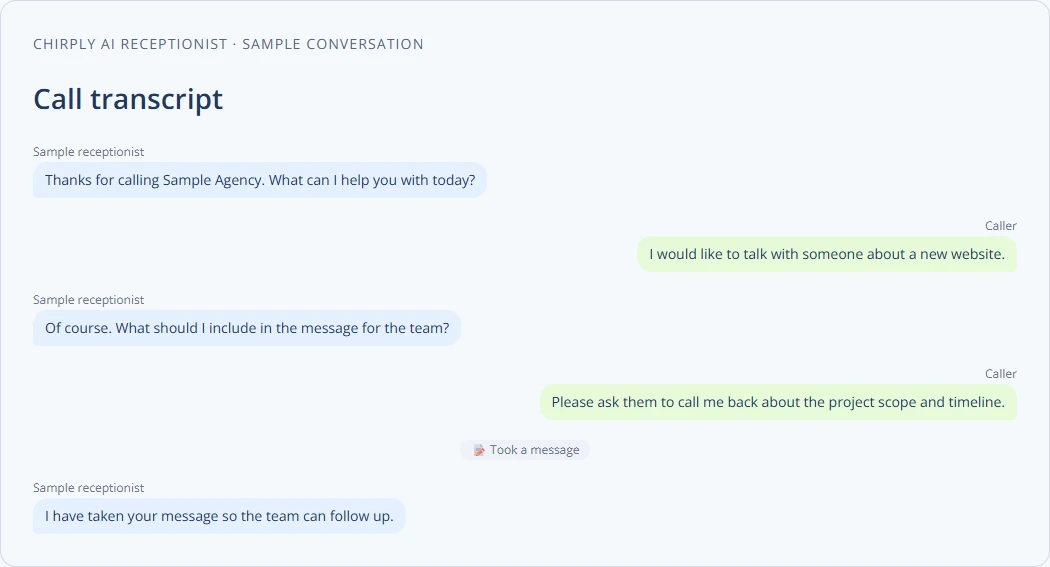
Think of it as a virtual receptionist who works for free and never takes a break. It can ask key questions to understand what a visitor needs. For example, it can ask about their budget, their project timeline, or what services they are looking for. This information is then saved, so when a human team member takes over, they already know a lot about the lead. This makes the follow-up process much smoother and more effective.
Designing Your Chatbot's Conversation Flow
Designing your chatbot is like writing a script for a play. You need to think about what questions visitors might ask and how your chatbot should respond. Start with the most common questions your agency gets.
Here's a simple checklist to get you started:
- Greeting: How will the chatbot say hello? (e.g., "Hi there! How can I help your business today?")
- Common Questions: What are the top 5-10 questions people ask your agency? (e.g., "What services do you offer?", "What are your prices?", "How can I get a quote?")
- Lead Qualification Questions: What information do you need to know to decide if someone is a good lead? (e.g., "What kind of project do you have in mind?", "What's your budget range?", "What's your timeline for this project?")
- Contact Information Capture: How will the chatbot ask for an email and phone number? (e.g., "Can I get your email address so we can send you more information?")
- Next Steps: What should the chatbot do after collecting information? (e.g., "Thanks! A team member will be in touch soon," or "Would you like to schedule a quick call?")
- Fallback Response: What should the chatbot say if it doesn't understand a question? (e.g., "I'm sorry, I don't understand. Can you rephrase that?")
Map out these conversations like a tree. Each answer leads to another question or action. For example, if someone asks about "services," the chatbot might list a few and then ask, "Which one are you most interested in?"
Training Your AI Chatbot for Better Responses
An AI chatbot is only as good as its training. It learns from the data you give it. Think of it as teaching a new employee everything about your agency.
- Gather Data: Collect all the questions customers have asked in the past. Look at your FAQ page, old emails, and chat logs. The more real questions and answers you have, the better.
- Teach Intents: An "intent" is what a user wants to do. For example, "What are your prices?" and "How much does it cost?" both show the intent of "get pricing." You need to tell the chatbot all the different ways someone might express that intent.
- Provide Responses: For each intent, write clear and helpful answers. Make sure the answers are consistent with your agency's brand voice.
- Test and Refine: Have people test the chatbot. Ask them to try to "break" it by asking unusual questions. See where it fails and then update its training data. This is an ongoing process. The more it interacts, the smarter it gets.
- Handle Exceptions: Sometimes, the chatbot won't know the answer. It's important to have a plan for these moments. It could say, "I'm not sure, but I can connect you with a human expert." This is where you can learn more about handling exceptions in automated agency workflows.
Remember, the goal isn't for the chatbot to be perfect, but to be helpful and to get the right information to the right people.
Deploying and Integrating Your Chatbot
Once your chatbot is designed and trained, it's time to put it on your website. Most chatbot platforms provide a simple code snippet you can add to your website. This code makes the chat widget appear.
Here's what to consider for deployment:
- Placement: Where should the chat widget appear on your website? Usually, it's a small icon in the bottom corner of every page.
- Triggering: When should the chatbot pop up? Should it open automatically after a few seconds, or only when a visitor clicks on it?
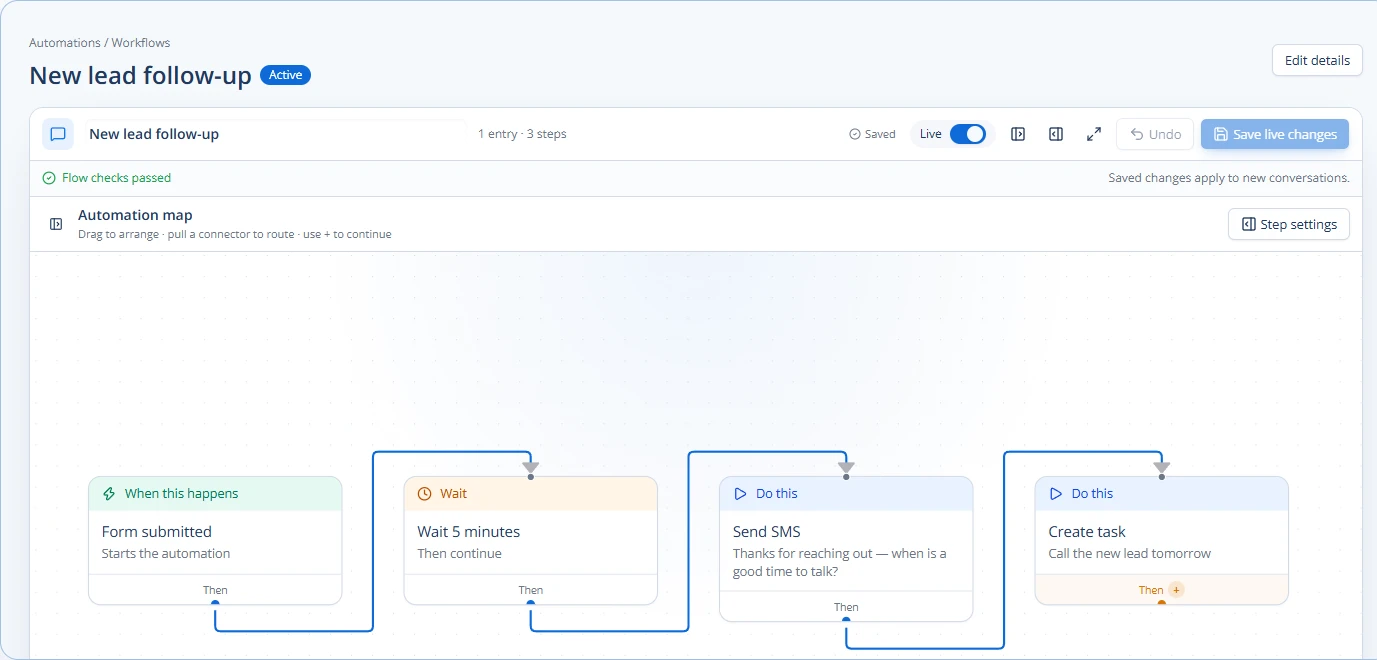
- Integration with Your CRM: This is crucial. The lead information your chatbot collects needs to go somewhere useful. You want it to automatically create a new contact in your CRM system. This way, your sales team can easily follow up. Tools like Chirply offer robust CRM capabilities where you can manage contact records, pipelines, and even automate follow-up tasks.
- Notifications: How will your team know when a new lead comes in through the chatbot? Set up email or Slack notifications.
- Hand-off to Human: When should the chatbot pass the conversation to a human? This usually happens when the chatbot can't answer a question or when a lead is highly qualified and ready to talk.
By integrating your chatbot with your CRM, you can also use the collected data for building an automated lead scoring system for agencies. This helps your team prioritize which leads to contact first.
Measuring Success and Continuous Improvement
After your chatbot is live, you need to watch how it performs. This helps you make it even better.
Look at these metrics:
- Number of Leads Captured: How many new contacts did the chatbot add to your CRM?
- Qualification Rate: How many of those leads met your criteria for a good potential client?
- Engagement Rate: How many website visitors interacted with the chatbot?
- Completion Rate: How often do conversations go all the way through to collecting contact info?
- Common Unanswered Questions: What questions does the chatbot often fail to answer? This tells you where to improve its training.
Use this data to continuously refine your chatbot. Update its conversation flows, add new intents, and improve its responses. This isn't a one-time setup; it's an ongoing process to ensure your chatbot remains a powerful lead-capture tool. For agencies using an all-in-one platform like Chirply, you can see how the chatbot's actions flow directly into your sales pipeline and influence your overall lead generation efforts.
By following these steps, your agency can build an effective AI chatbot that works 24/7 to capture and qualify leads, helping your business grow without needing more human staff for initial inquiries.
Start by mapping out the most common questions your agency receives and how you'd like your chatbot to respond.
Common questions
Answers at a glance
What is an AI chatbot for lead capture?
An AI chatbot for lead capture is an automated program that lives on your agency's website. It talks to visitors, answers their questions, and collects their contact information and other important details to see if they are a good potential client, all day and night.
Why should an agency use an AI chatbot?
Agencies should use an AI chatbot to capture leads 24/7, even when their team is offline. It helps qualify leads by asking specific questions, saves staff time by handling common inquiries, and ensures no potential client is missed.
How do I train an AI chatbot?
You train an AI chatbot by giving it examples of questions (intents) and the correct answers. You collect past customer questions, tell the chatbot different ways people ask the same thing, and provide clear responses. Then, you test it and update its training based on how it performs.
What information should a chatbot collect from leads?
A chatbot should collect basic contact information like name, email, and phone number. It should also ask qualification questions such as the type of project, budget, and timeline to help your agency understand if the lead is a good fit.
Put this into practice
Use a setup guide and its acceptance checks to turn the idea into a working process.
- CRM Workflow Testing Checklist & Acceptance Matrix
- Lead Follow-Up Automation: Chirply Setup Checklist
- CRM Data Quality Checklist: Fields, Tags & Ownership
Put the system to work
Run the whole client journey in one place.
CRM, phone, messaging, automation, funnels, and AI, connected on one contact record and ready for your brand.
See Chirply plans