
 Chirply
AI in CRM is the use of models to interpret information, generate content or assist decisions inside a customer relationship management workflow. Examples include drafting a reply from approved business information and handling a spoken inquiry. A rule that sends a reminder two hours before an appointment is automation; it does not need AI.
For an agency, the practical question is which part of a customer workflow benefits from interpretation and which part needs a predictable rule. Start with a specific job, the information it requires and a way to check the result. Adding AI everywhere makes that evaluation harder.
AI versus CRM automation: choose by the task
| Agency task | Suitable approach | What to check |
|---|---|---|
| Send an appointment reminder at a fixed interval | Scheduled automation | Correct booking, recipient and time zone. |
| Draft a response to an open-ended inquiry | AI assistance with review | Facts, tone, missing information and promises. |
| Route every form submission with a known field value | A rule or workflow condition | The field and destination match the intended rule. |
| Answer a caller's question using business knowledge | An AI phone agent with a defined scope | Accurate answers, uncertainty handling and actual call outcomes. |
| Commit to a custom project scope or exception | A responsible team member | Authority, commercial terms and client expectations. |
The distinction matters when something fails. A reminder sent at the wrong time usually needs a scheduling investigation. An answer that invents a service needs a knowledge, instruction or model-output review. Those are different problems with different fixes.
Where Chirply uses AI in the customer workflow
Chirply combines CRM, communication and automation features with AI assistance. Its in-app Copilot can work with the actions available to that user and workspace. Its AI phone agents can be configured with a role, business knowledge and permitted tools for a calling workflow. Review Chirply's features and the AI receptionist overview for the relevant product surfaces.
Do not assume a general list of AI CRM capabilities is a promise that every product includes predictive scoring, sentiment analysis or an autonomous sales sequence. Evaluate the specific feature, plan, connected provider and permissions needed for your job.
For a phone agent, the Chirply AI receptionist setup guide walks through provider connections, knowledge, testing and incoming-call routing. Saving an agent does not connect a phone number, and an agent saying it will book or transfer is not proof that the action succeeded.
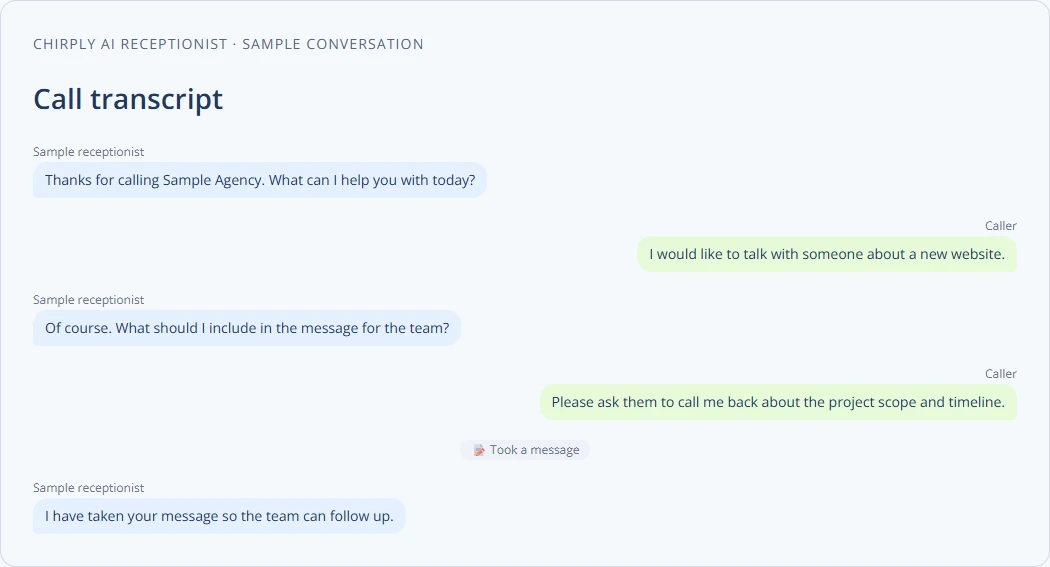
Chirply's AI call transcript interface with an invented sample conversation. This demonstrates the interface, not a customer result or a completed appointment.
Start with one bounded AI CRM pilot
Choose a job that is frequent enough to evaluate and narrow enough to inspect. Drafting responses to routine agency inquiries is one candidate. Answering a limited set of questions about office hours and services is another. Avoid starting with an agent that can independently promise prices, change contracts and contact a large audience.
Write down five things before configuration: the input, the approved information, the output, the reviewer and the success measure. For a reply-drafting pilot, the input might be an inquiry and the approved service description; the output is a draft; an account manager reviews it; and success means accurate drafts that take less time to review than to write from scratch.
Use a small set of fictional cases first. Include a normal request, a vague request, a question outside the supplied knowledge and a request that needs a human decision. Save the expected behavior for each case before looking at the model's answer.
Worked example: turn an inquiry into a reviewed next step
Imagine this fictional message: "We need help with lead follow-up for our roofing business. Can we talk next week?" The message gives a business type, an interest and a broad timing preference. It does not give a budget, a precise appointment time or permission to buy anything.
A useful draft brief would ask the assistant to identify those known facts, list the missing information and draft a short reply using the agency's approved service description. Tell it to leave unknown facts unknown and avoid claiming that a meeting is already booked.
Draft a reply to this inquiry using only the supplied service description. Acknowledge the request, ask the one question needed to choose the next step, and include our verified booking link if appropriate. Do not invent pricing, availability, results or an agreed appointment. List any missing information separately for my review.
This is an example brief, not a promise that pasting it performs a complete workflow. Provide only the information appropriate to the workspace and verify the resulting draft. The reviewer should check the recipient, factual claims and next action before sending through the intended channel.
After the prospect chooses a time, verify that the appointment exists. If the next step is a callback task, confirm that the task was saved and assigned. A fluent conversational response and a completed CRM action are separate pieces of evidence.
Understand approvals and configured autonomy
In Chirply's in-app assistant, actions classified as requiring confirmation ask for human approval before they run. That includes actions such as sending messages or making purchases when exposed with that classification. Read the approval details: the destination, audience and cost matter as much as the action name.
This is not a universal pause on every AI or automated operation. API and MCP integrations use deliberately issued credentials, and configured agents or workflows have their own permissions and execution behavior. Review the specific surface you are enabling instead of assuming the assistant's approval screen governs every integration.
For an AI phone agent, start with accurate knowledge and the smallest set of tools needed. Test an unanswered transfer, an unavailable appointment and an unknown question. Confirm the saved outcome in the relevant record; do not rely only on the agent's spoken assurance.
Keep knowledge accurate and measure the result
Give one person responsibility for approved hours, services and policies. Remove outdated or conflicting material before adding more documents. Check the selected knowledge scope so an agent serving one business is not configured from another client's information. Review provider connections and expected usage costs before increasing call or message volume.
Use a simple review sheet for the pilot: case, expected answer, actual answer, factual errors, required corrections, time spent and final action. Track unsuccessful actions separately from poor wording. A beautifully written reply with the wrong date is still a failed result.
Compare the pilot with the same job done without AI. Include review time, provider usage and any extra cleanup. Expand only when the evidence supports the change. For a phone workflow, add checks for caller understanding, transfer completion and booking outcomes rather than judging only whether the voice sounds natural.
Choose the next workflow based on evidence
Keep predictable steps in ordinary automation and use AI where interpretation or drafting is useful. The result should be a process the team can explain, inspect and improve. If the first pilot needs substantial correction, narrow its scope before connecting more actions.
Explore Chirply's AI receptionist setup, booking pages and current plans to match a real agency workflow to the features and provider connections it needs.
Common questions
Answers at a glance
What is AI in CRM?
AI in CRM uses models to interpret information, generate content or assist decisions in customer workflows. Examples include drafting a response from approved information and answering a spoken inquiry within a defined scope.
How is AI different from CRM automation?
Automation follows configured rules, such as sending a reminder at a fixed interval. AI interprets or generates information, so its output needs different checks for accuracy, missing facts and unsupported claims.
What AI workflow should an agency test first?
Choose one narrow job with clear inputs and a review process, such as drafting routine inquiry replies. Test fictional cases, measure accuracy and review time, and expand only when the results justify it.
Does Chirply require approval for every AI action?
The in-app assistant asks for approval for actions classified as requiring confirmation. API and MCP integrations and configured agents or workflows have their own authorization and execution behavior; the assistant’s approval screen does not govern every surface.
Put this into practice
Use a setup guide and its acceptance checks to turn the idea into a working process.
- CRM Workflow Testing Checklist & Acceptance Matrix
- Lead Follow-Up Automation: Chirply Setup Checklist
- CRM Data Quality Checklist: Fields, Tags & Ownership
Put the system to work
Run the whole client journey in one place.
CRM, phone, messaging, automation, funnels, and AI, connected on one contact record and ready for your brand.
See Chirply plans